Ensure that residents are duplicates before merging. Once a profile has been merged, this process can NOT be undone.
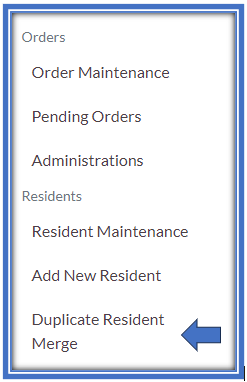
In the Waffle Menu, select Duplicate Resident Merge.
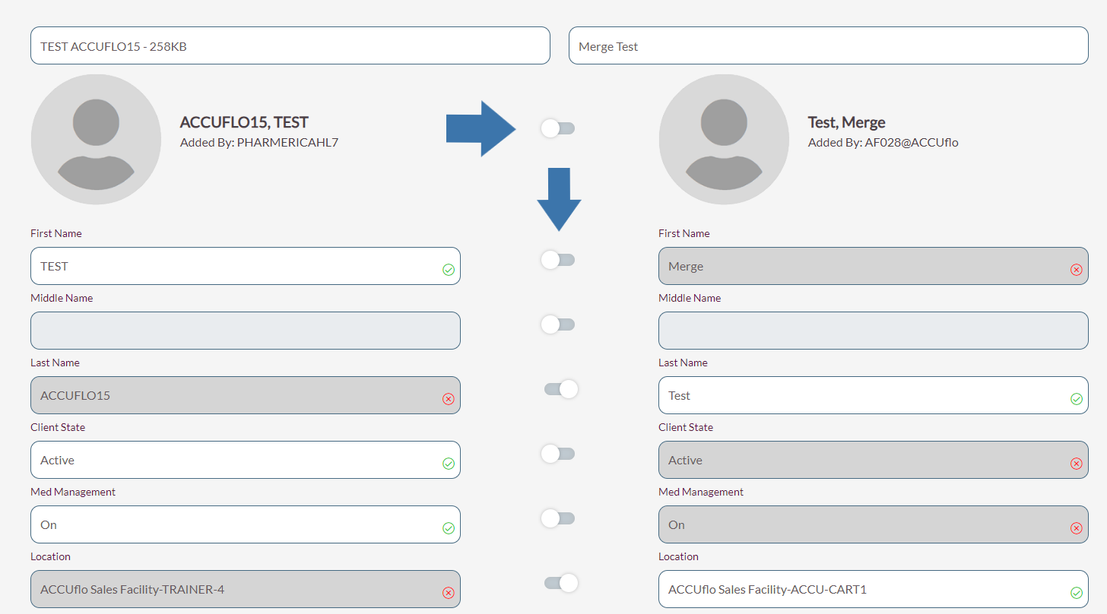
In the Resident Selector, select the two residents that need to be merged into one profile. The profile on the left is the “kept” profile while the profile on the right will be deleted after the merge.

Use the toggles for each data point, select the data that should be kept in the merge
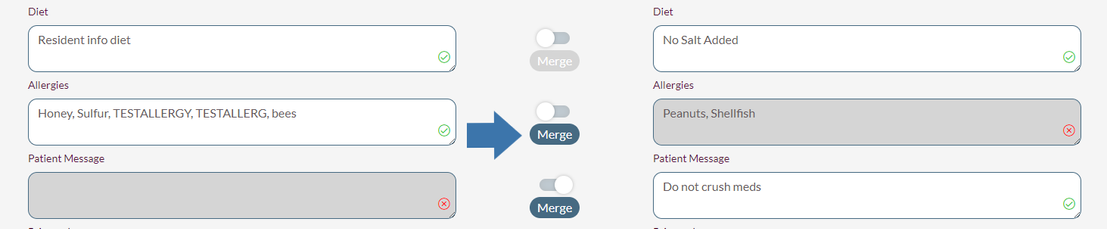
Some data points have an option to combine the data. This occurs for free text fields on the resident profile where data may have been entered on both profiles. To combine data points, select Merge, then check marks will appear on both data point
After reviewing the selection, select Next on the bottom of the page.
After selecting Next, the system will display orders active on each profile. Users can not make any changes on this page as it is for informational purposes only for them to review for possible duplicate therapies that need to be addressed outside of the Duplicate Therapy feature. After reviewing, click Next.
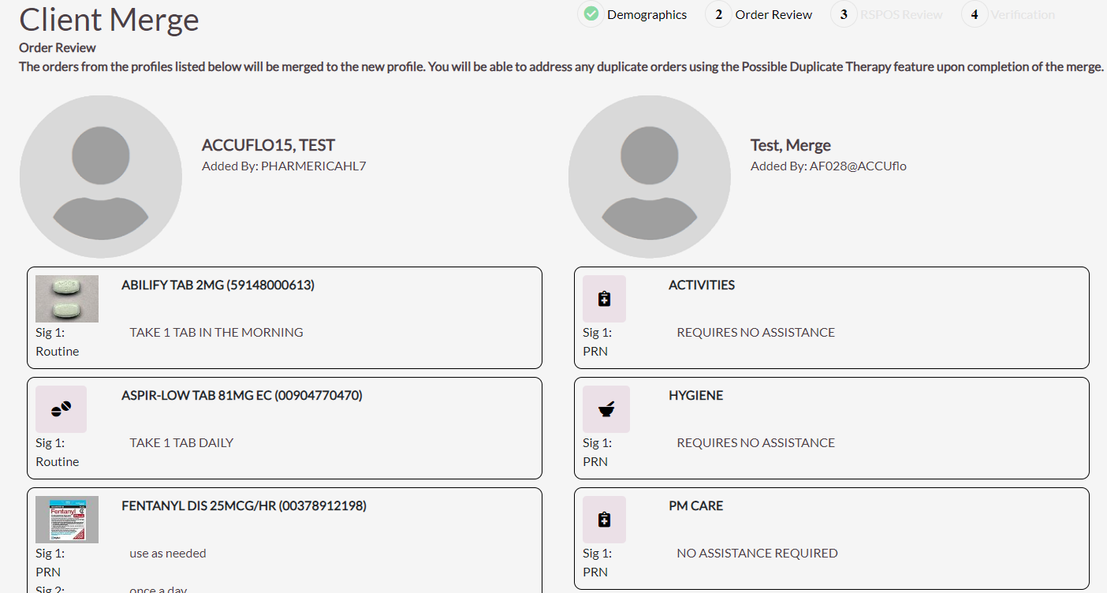
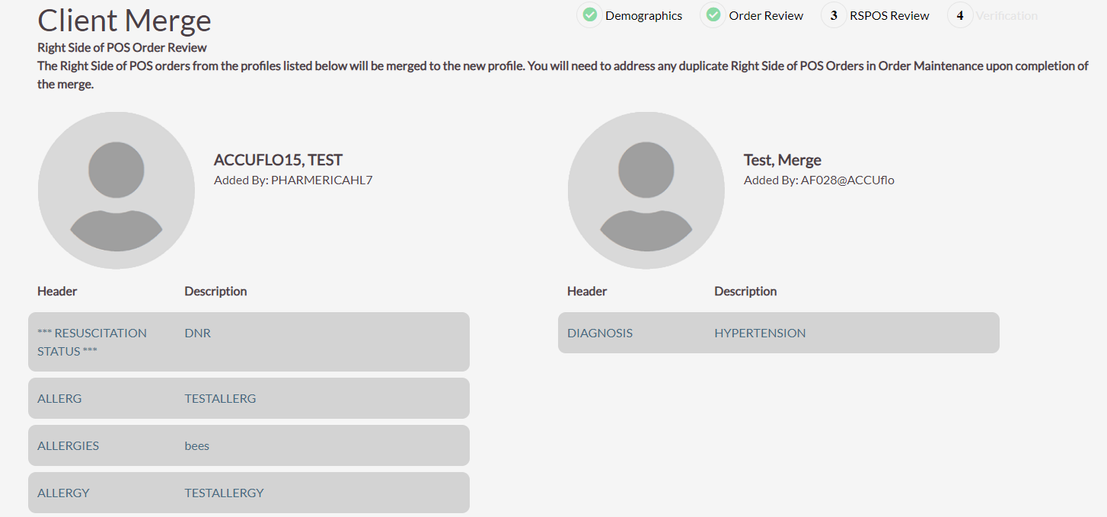
After selecting Next, the system will display Right Side of POS Orders from each profile. Users can not make any changes on this page as it is for informational purposes only. After reviewing, click Next.
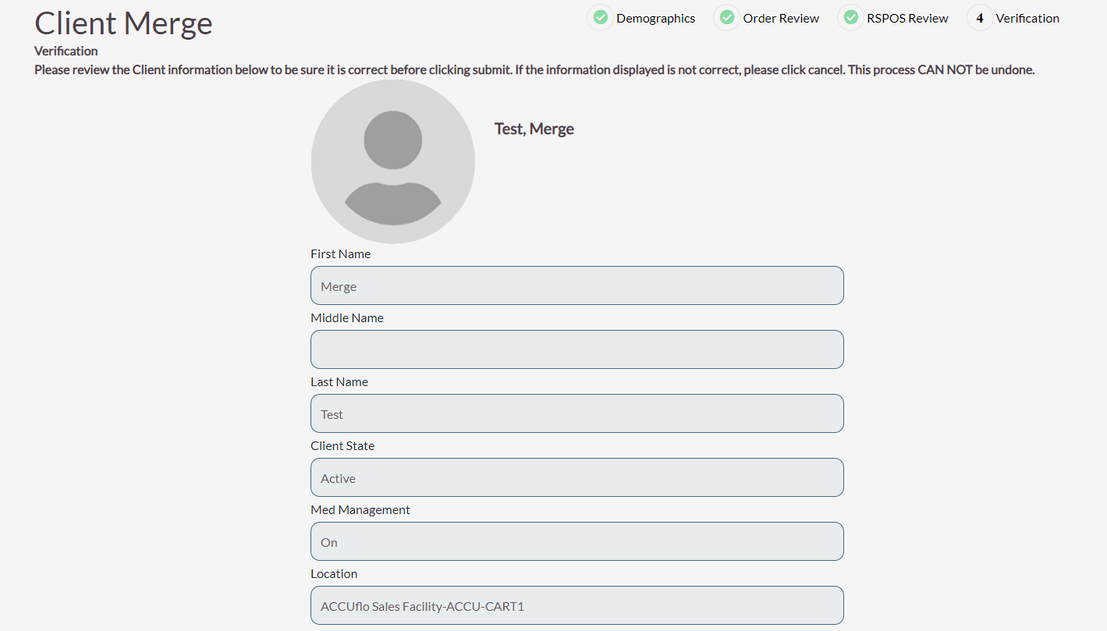
The system will present the resulting resident and each data point that was selected. Users should review the profile for accuracy. If anything is incorrect, the user will need to start the process over from the waffle menu.
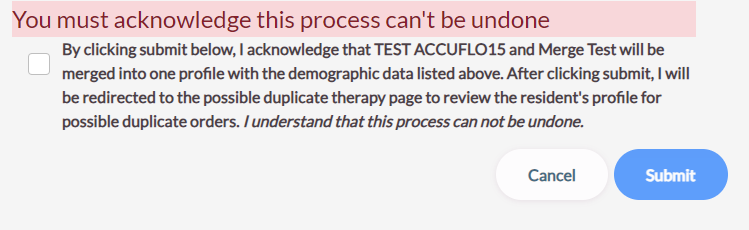
At the bottom of the page, the user must acknowledge by checking the box that they understand the following statement:
By clicking submit below, I acknowledge that ___ and ___ will be merged into one profile with the demographic data listed above. After clicking submit, I will be redirected to the possible duplicate therapy page to review the resident’s profile for possible duplicate orders. I understand that this process can not be undone.
The Possible Duplicate Therapies page will display after the residents have been successfully merged into one profile to address any possible duplicate therapies.
Was this article helpful?
That’s Great!
Thank you for your feedback
Sorry! We couldn't be helpful
Thank you for your feedback
Feedback sent
We appreciate your effort and will try to fix the article