Overview
In this article, we will review the Changing of a Residents Status in the Aline eMAR (ACCUflo) application.
Changing a Resident Status: LOA, Hospital, Hold, Discharged
For residents who will be out of the community such as on a leave of absence, away at the hospital, or have not yet arrived at the facility, eMAR users can change the resident’s status. This both prevents routine orders from displaying for administration and creates a point of documentation for the status change (Notes Report > Status Change Note Type.
Refer to the community’s policy regarding the usage of each status.
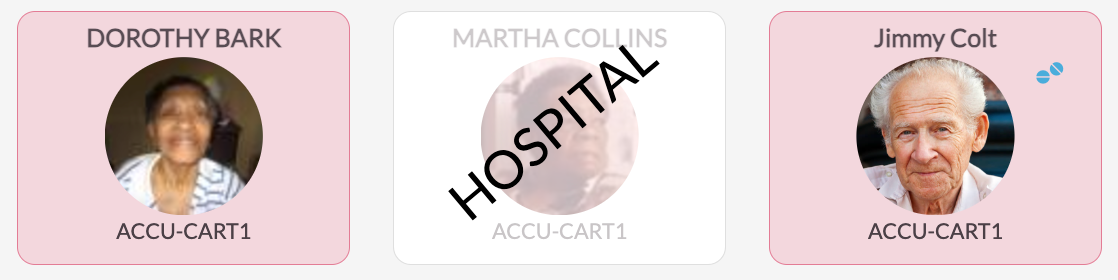
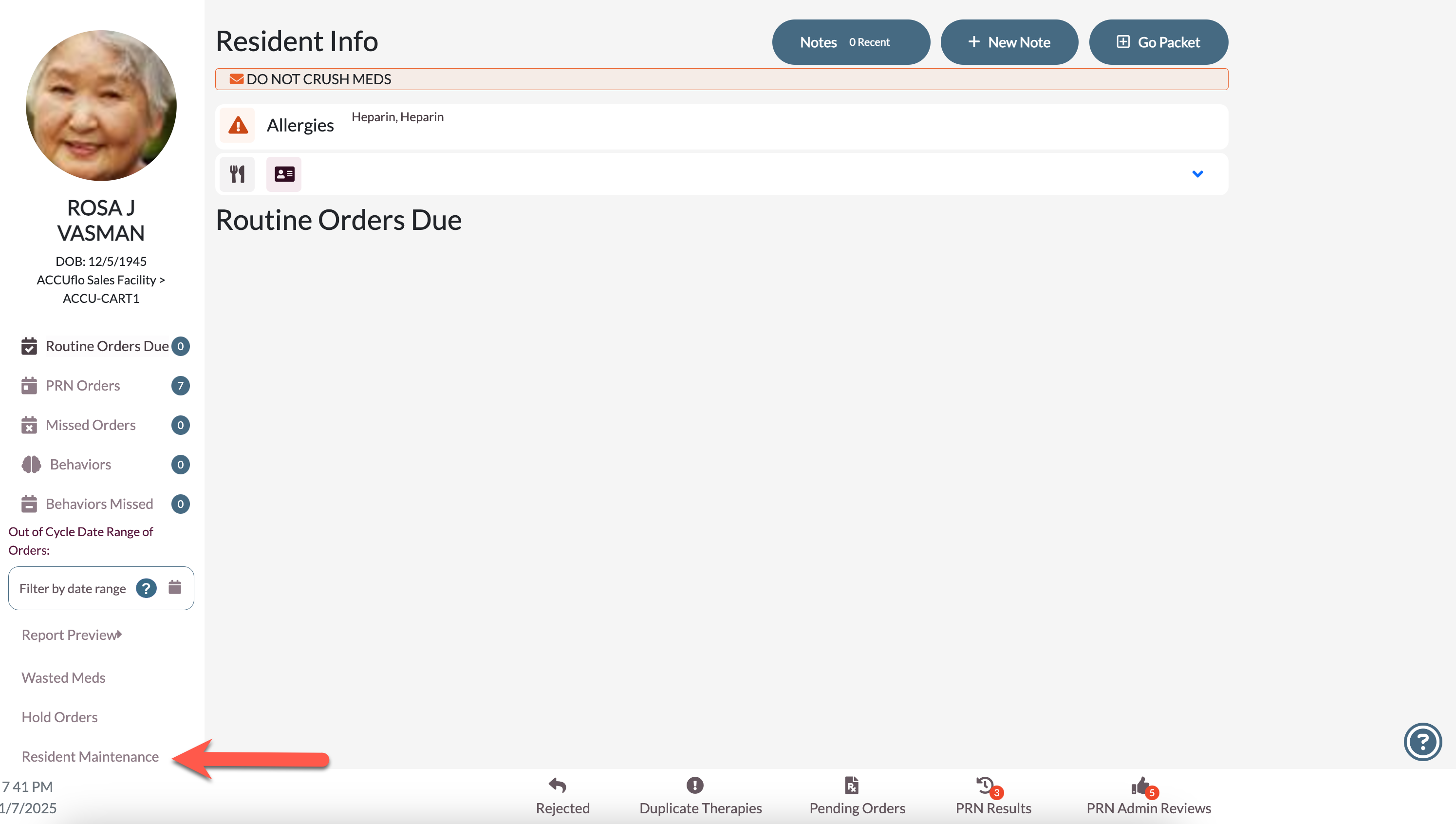
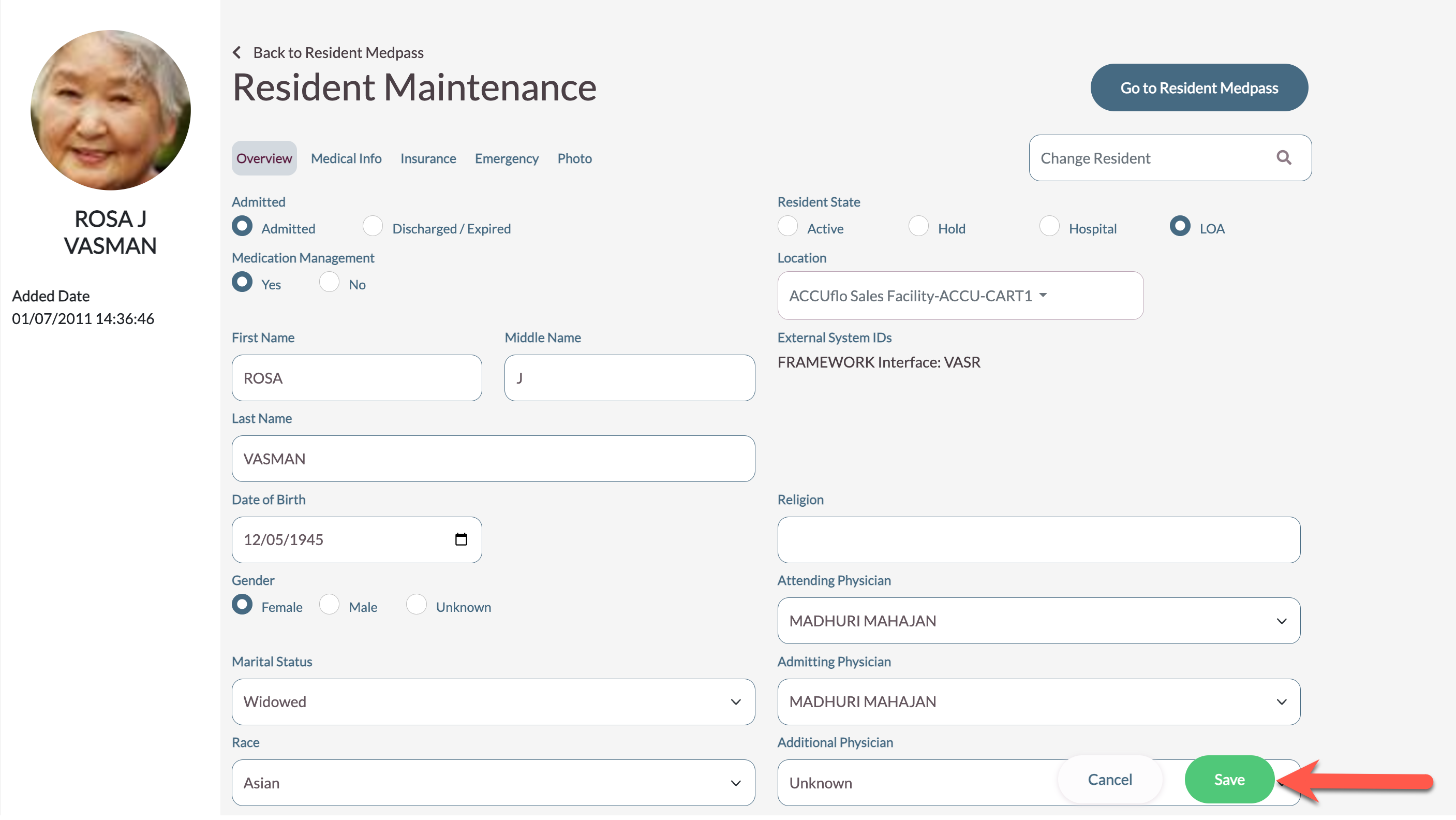
Step 1: From the Main Residents Screen, select the resident whose status needs to be changed and then select Residents Maintenance.
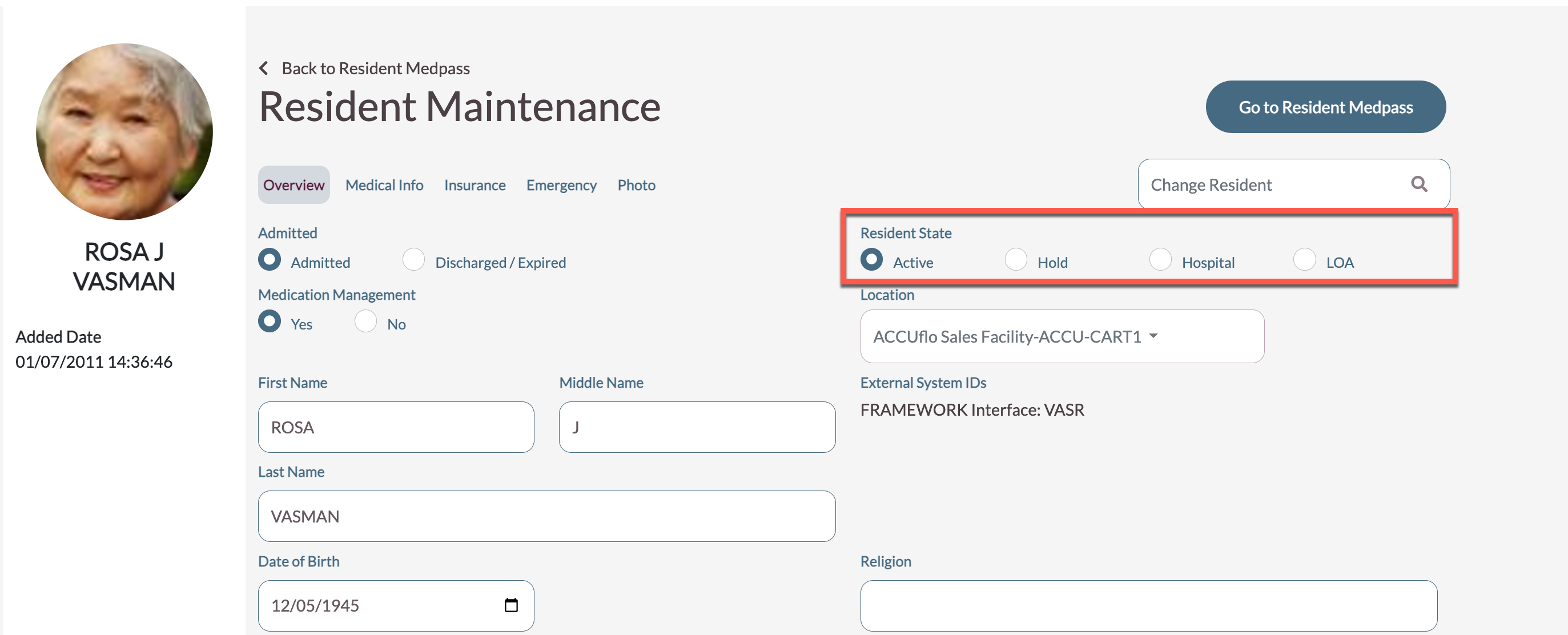
Step 2: Under Resident State, select the appropriate status.
Step 3: Next, provide a reason for the Status Change and then select Save.
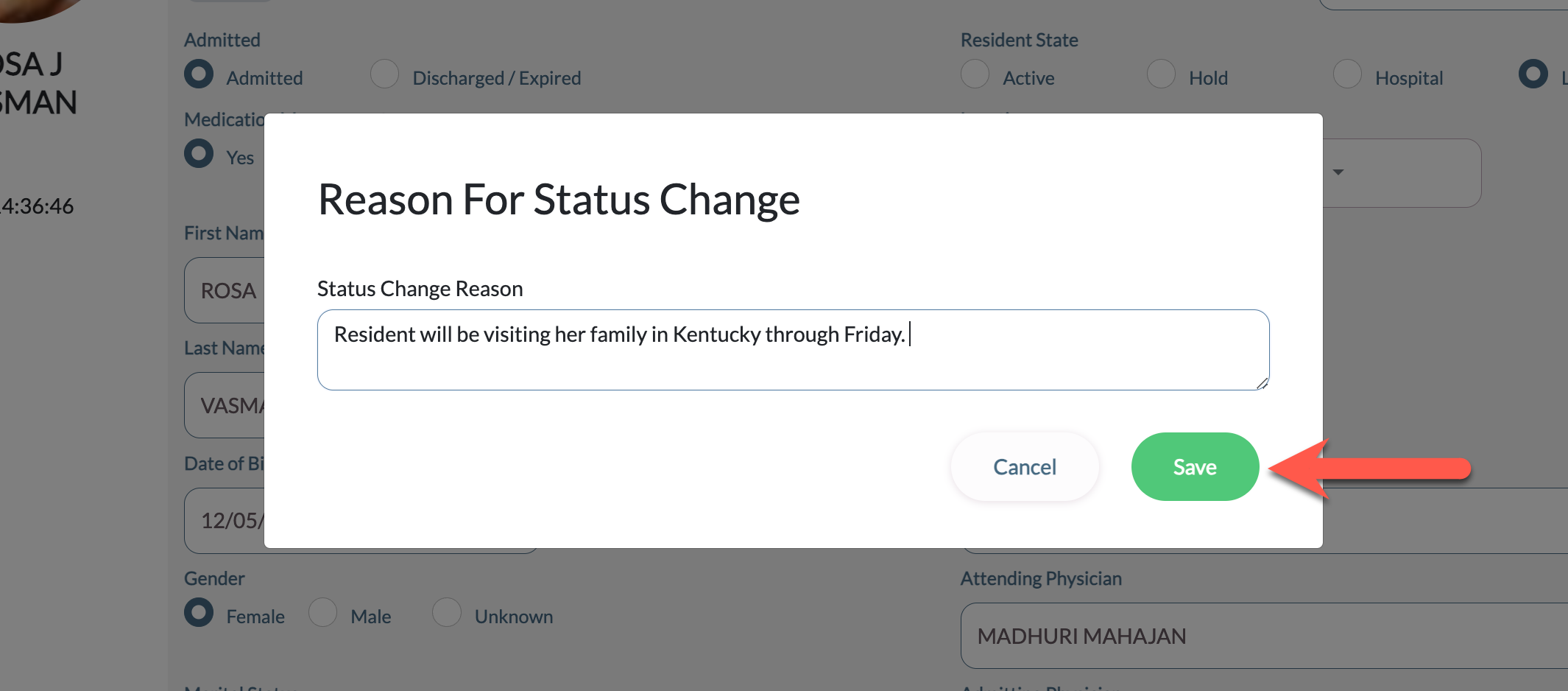
Step 4: Select Save to complete the process.
Was this article helpful?
That’s Great!
Thank you for your feedback
Sorry! We couldn't be helpful
Thank you for your feedback
Feedback sent
We appreciate your effort and will try to fix the article