Overview
In this QRG article we will review the Discharging a Resident from the ALINE eMAR (ACCUflo) program.
Discharging a Resident
Step 1: From the Main Residents Screen, select the resident needing to be discharged.
Step 2: Select Residents Maintenance.
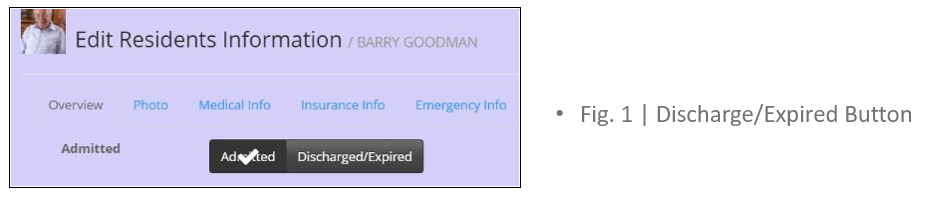
Step 3: Select Discharged/Expired as shown in Fig. 1.
 Step 4: Select Cancel to stop the discharge;
Step 5: Select Continue to discharge the resident.
Step 6: The Resident State will automatically update to Discharged.
Step 7: Select Save.
Note: Discharging a resident will discontinue all active orders. Best practice is to chart all orders before changing a resident’s status. Discharged residents will remain on the screen until all orders have been charted.
Was this article helpful?
That’s Great!
Thank you for your feedback
Sorry! We couldn't be helpful
Thank you for your feedback
Feedback sent
We appreciate your effort and will try to fix the article