Did Not Administer Alerts
When the Did Not Administer Alert feature is activated, the application will track sequential Did Not Administers of each order. Once the sequential number of Did Not Adminsters defined in the facility configuration is reached, an alert will be triggered for the nursing staff to discuss the order being marked as DNA with the provider.
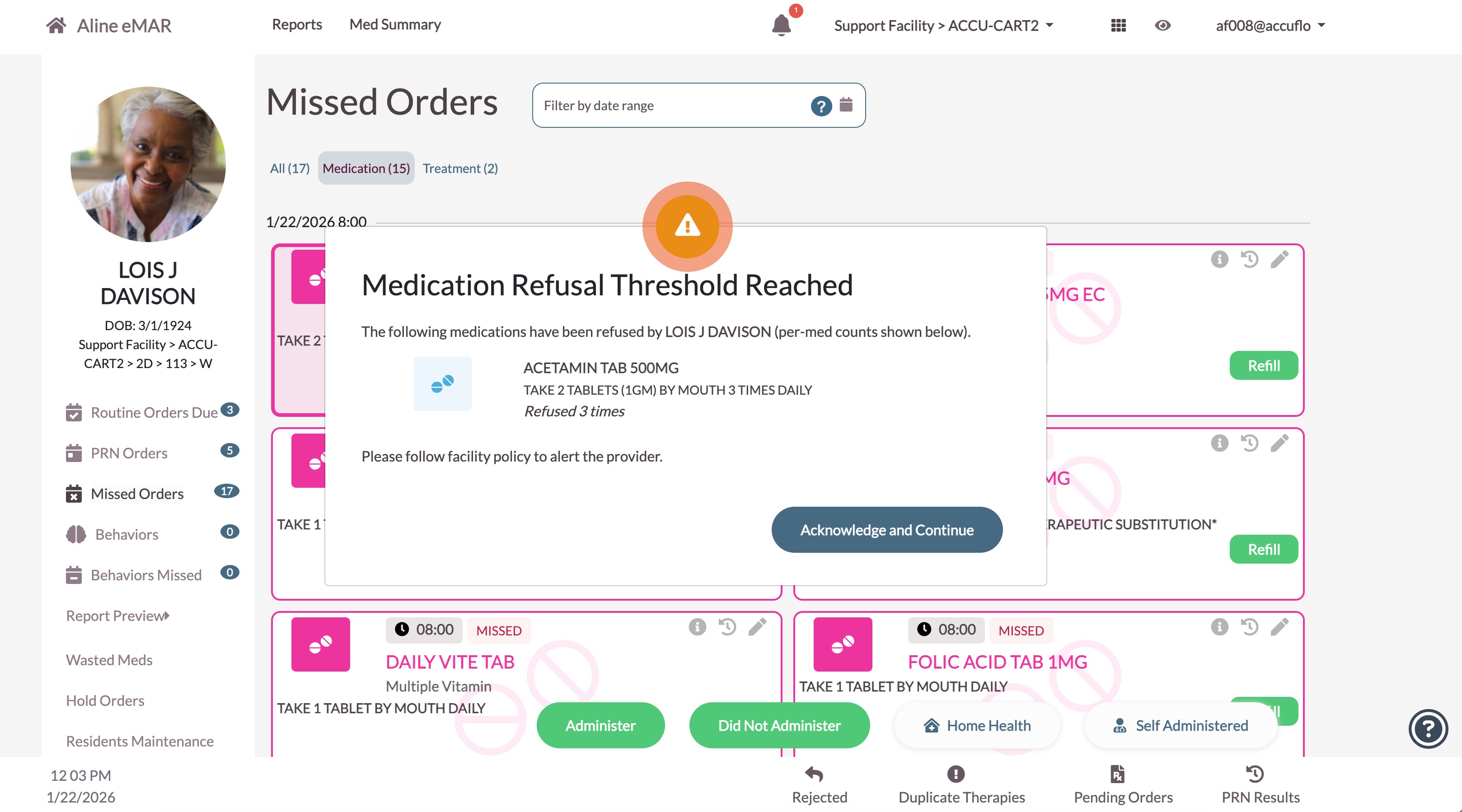
The order does not have to be specifically refused to trigger the alert, as the alert works for both routine and PRN DNA administrations. Any successful administration (not marked as DNA) will reset the counter for that order.
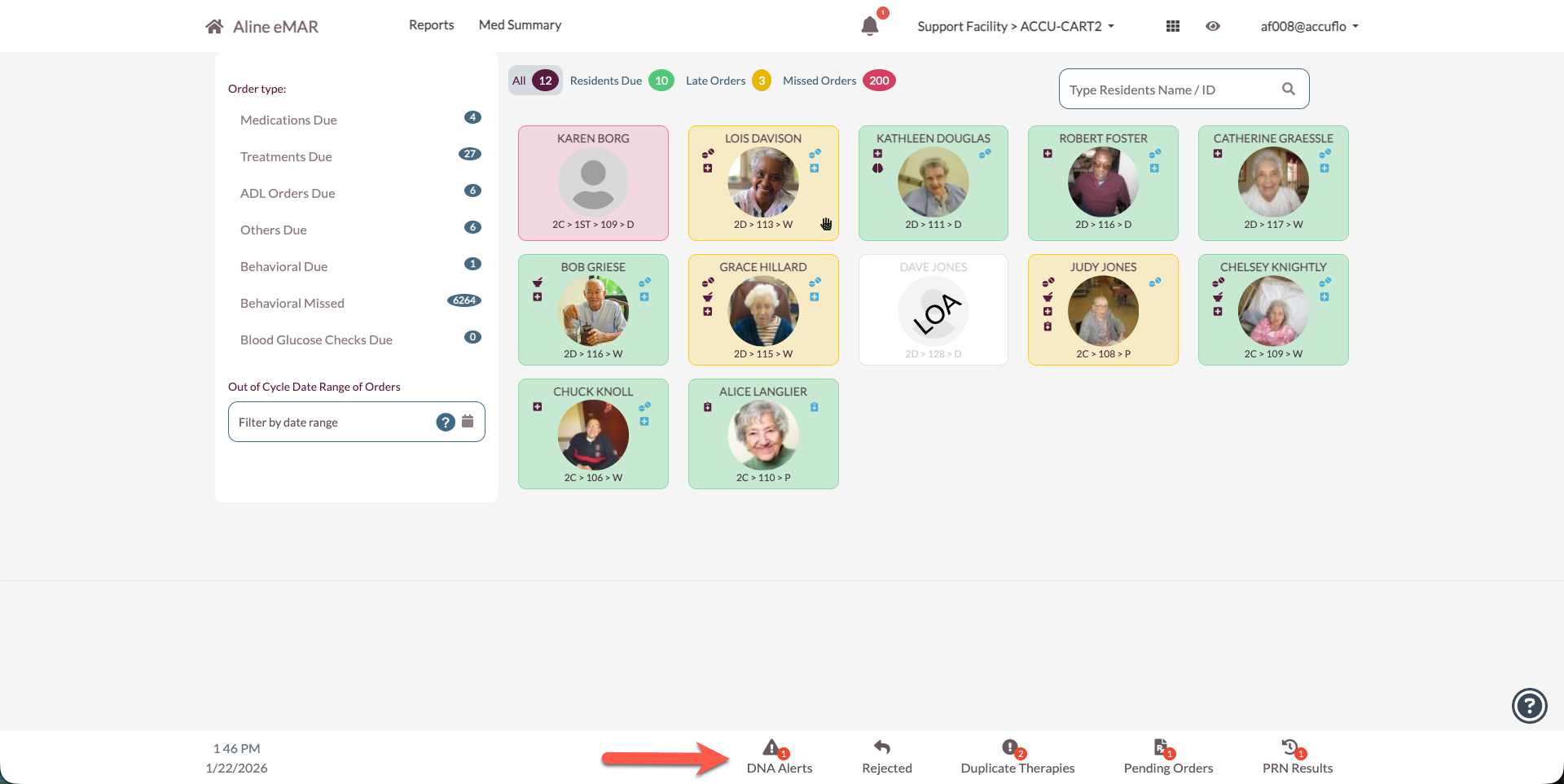
A new footer counter for DNA Alerts has been introduced that will show the number of outstanding DNA Alerts. Clicking this counter will take the user to the DNA Alert page.
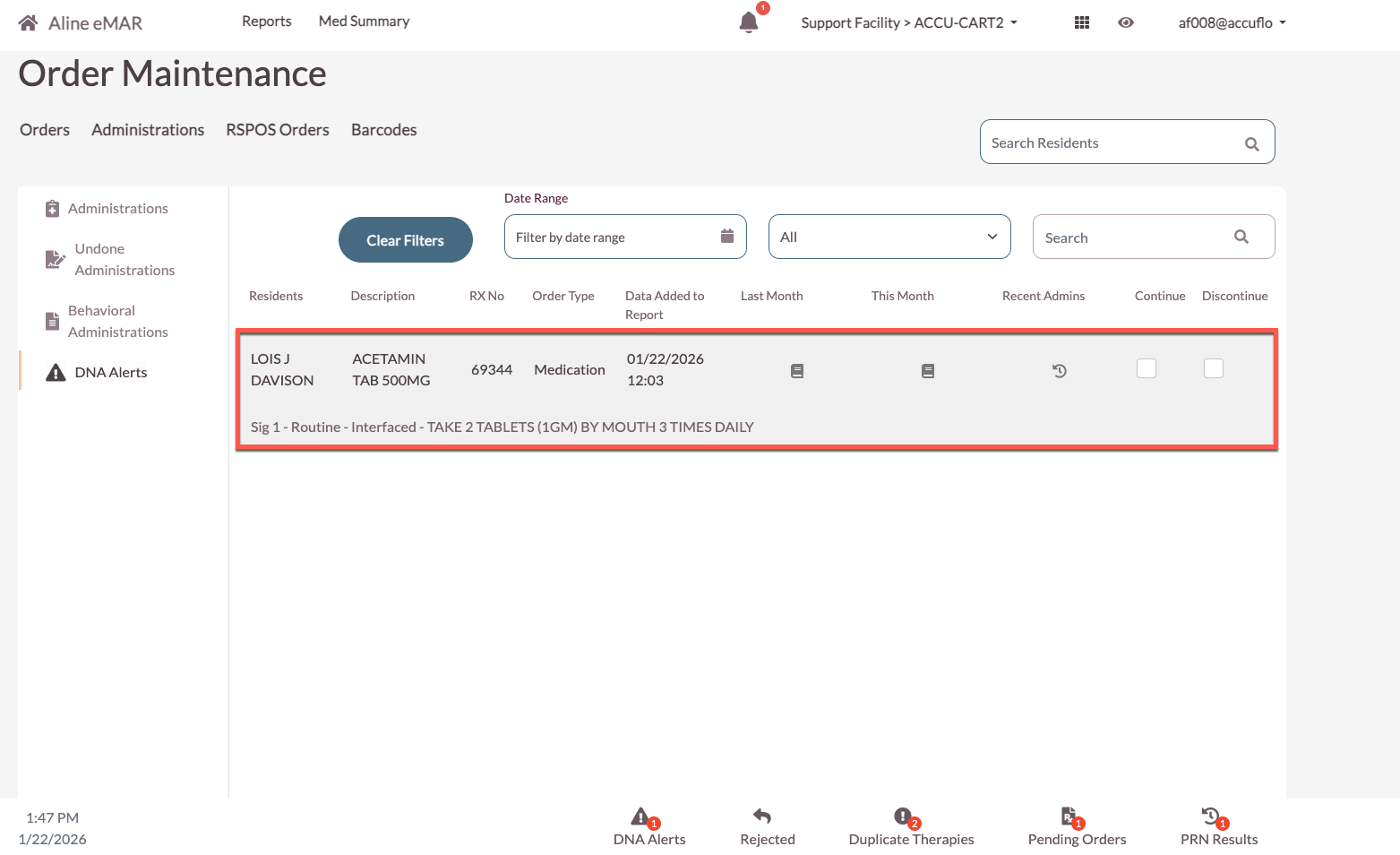
The nursing staff can view the patient, order description, RX number, order type, date the alert was triggered, last month’s MAR, this month’s MAR, and recent admins for each alert.
The user can then select a disposition for the alert after discussing with the provider/physician. Selecting Continue will clear the alert, but it will return if the next dose is DNA’d and the sequential count remains above the threshold. Discontinuing the medication will send a DC message to the pharmacy. The medication will remain active until the pharmacy approves the medication's discontinuation.
Was this article helpful?
That’s Great!
Thank you for your feedback
Sorry! We couldn't be helpful
Thank you for your feedback
Feedback sent
We appreciate your effort and will try to fix the article