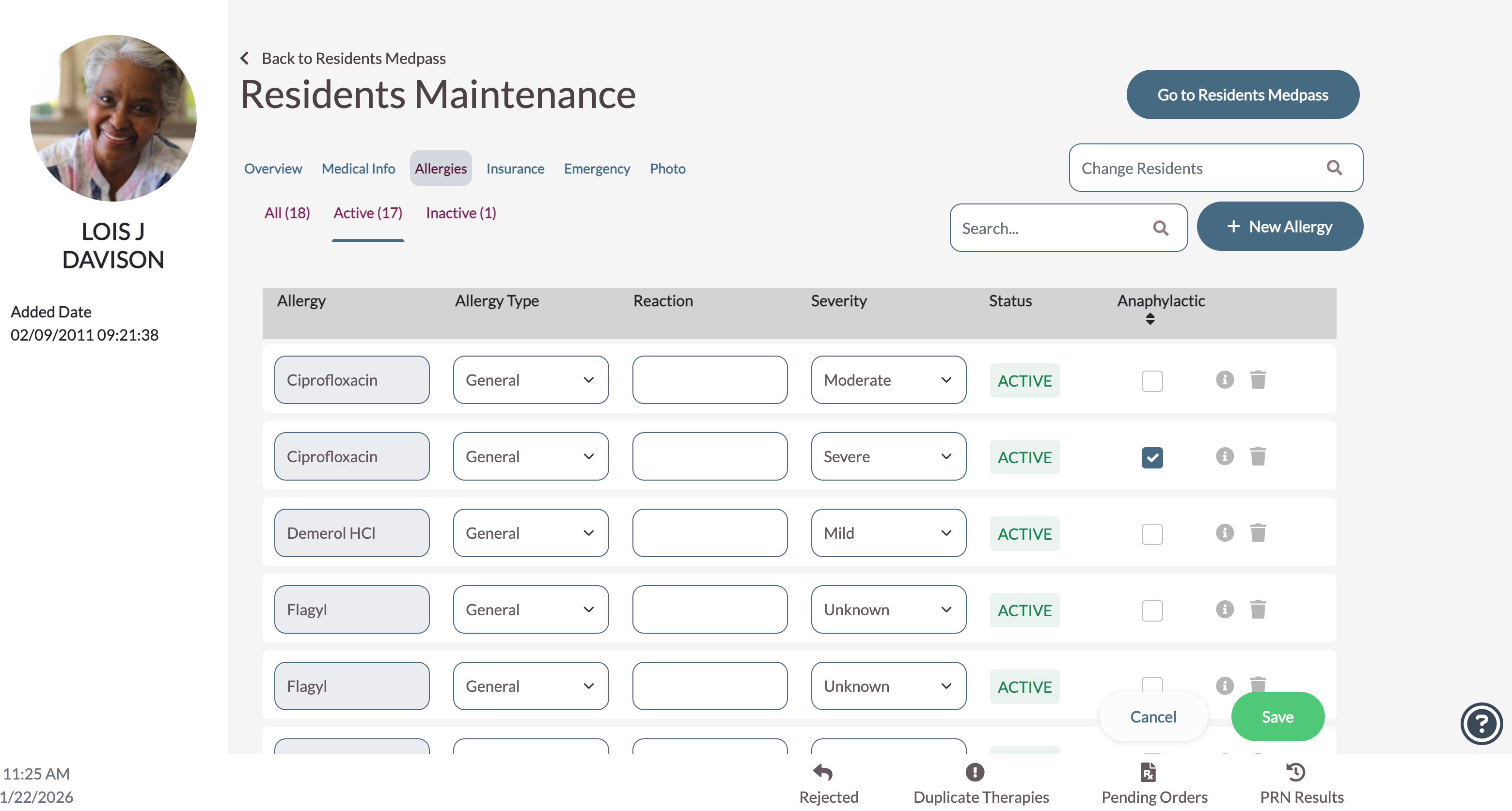
Review the information and make changes as needed.
- If changes are made, select Save on the bottom right.
- Existing allergies will display on the list; to add additional allergies, select + New Allergy.
- Each allergy requires the Allergy field to be filled out.
- Allergy Type, Allergy Reaction, Severity, and Anaphylactic fields are optional.
- Existing allergies will display on the list; to add additional allergies, select + New Allergy.
- To delete, or deactivate an allergy, select the trash can icon.
- Inactive allergies can be viewed by selecting the Inactive header.
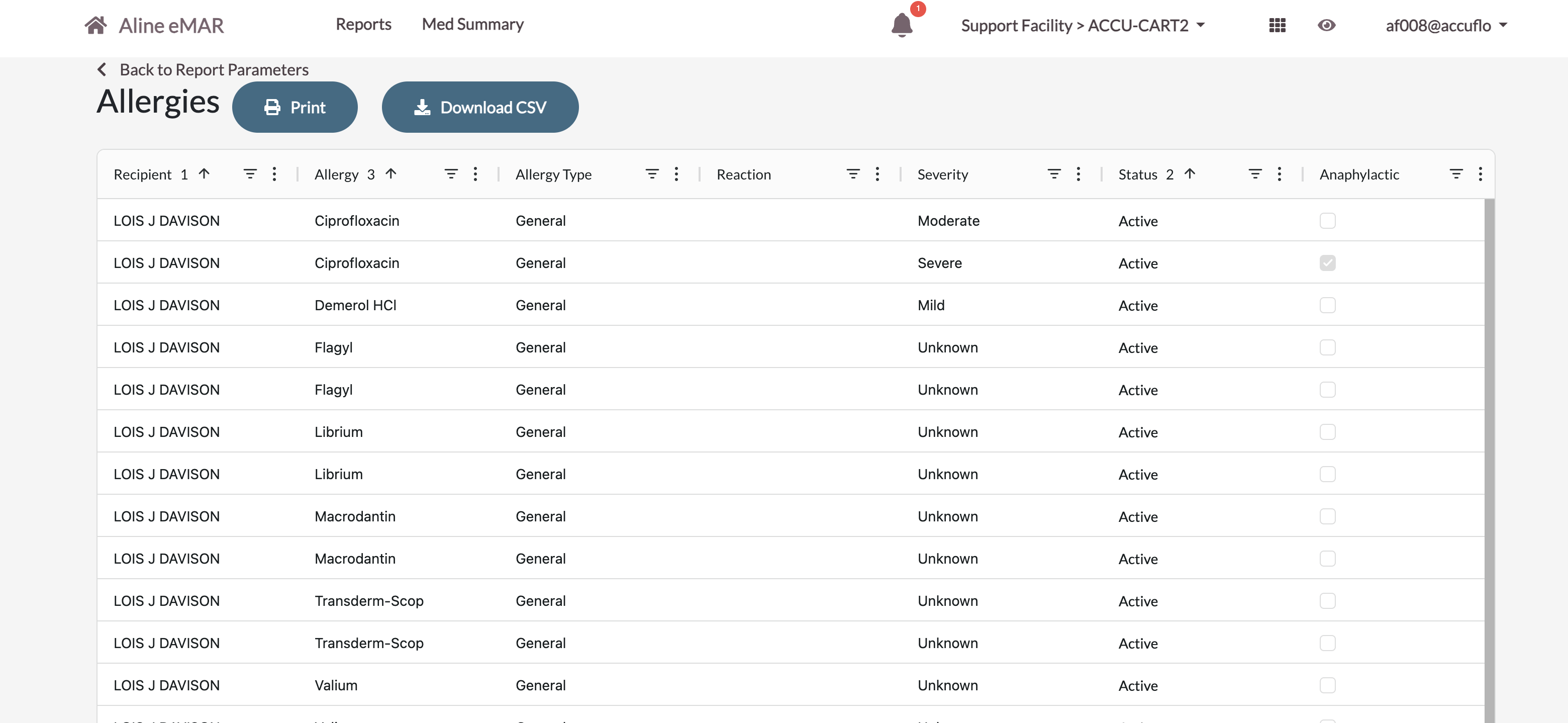
- Only the allergy description will be printed in the allergies section of the MAR & POS, however the Allergy
report has been updated to use Aline Smart Grids and to include the additional data points of allergy type, reaction, severity, and more.
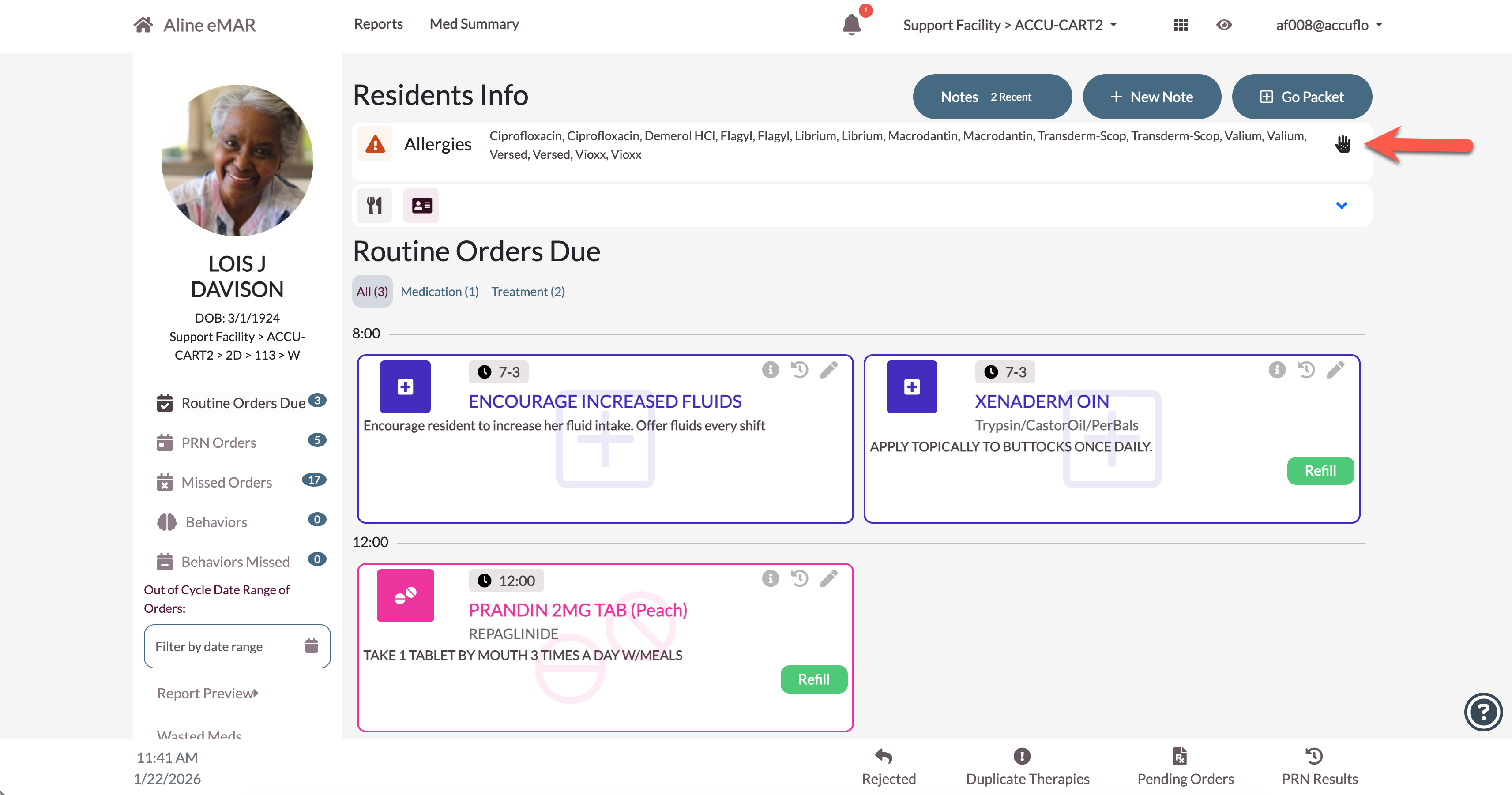
- If any allergy is marked an Anaphylactic, then the resident will display an Anaphylactic indicator on the
dashboard tile and the allergy bar on the medication pass.
Was this article helpful?
That’s Great!
Thank you for your feedback
Sorry! We couldn't be helpful
Thank you for your feedback
Feedback sent
We appreciate your effort and will try to fix the article