Refer to the community’s policy regarding when the community should add a resident to ACCUflo.
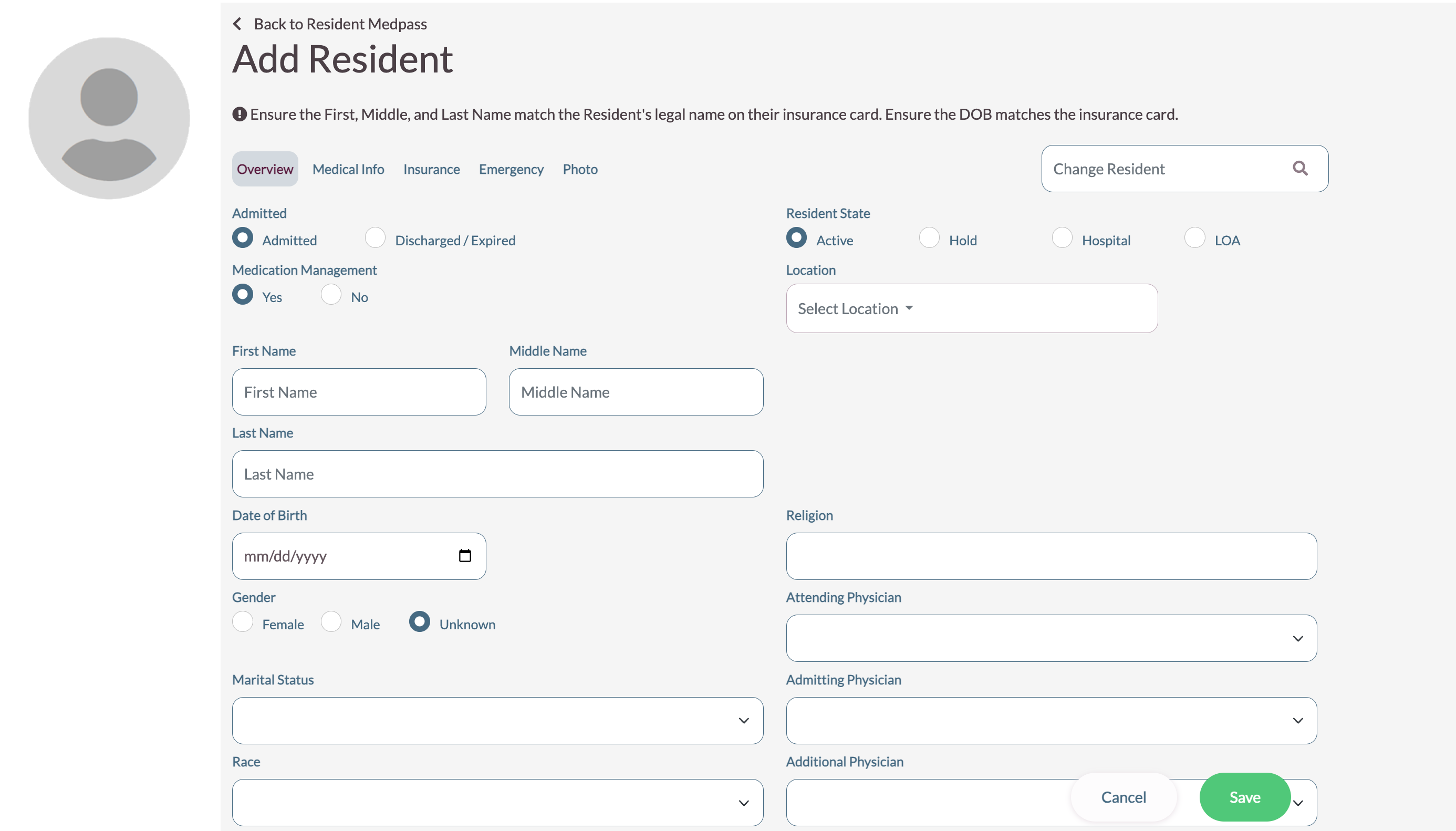
- To add a new resident, select Maintenance, Add New Resident from the header of any screen in ACCUflo; the Add Recipient screen will display.
- Enter the resident’s required information: First Name, Last Name, Attending Physician, Gender, Location and Date of Birth. Refer to the Edit Resident Information Overview Tab section for additional information.
- Enter other information if available.
- Enter information under The Medical Info tab, if available. Refer to the Edit Resident Information Medical Info Tab section for additional information.
- Enter information under the Insurance Info tab, if required to do so per community policy. Refer to the Edit Resident Information Insurance Info Tab section for additional information.
- Enter information under the Emergency Info tab, if required to do so per community policy. Refer to the Edit Resident Information Emergency Info Tab section for additional information.
- Upload a photo, if available. Refer to the Edit Resident Information Photo Tab section for additional information.
- When finished, Select Save.
Was this article helpful?
That’s Great!
Thank you for your feedback
Sorry! We couldn't be helpful
Thank you for your feedback
Feedback sent
We appreciate your effort and will try to fix the article