Overview
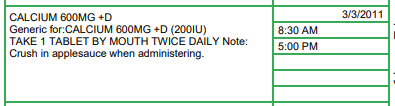
When the facility feature Notes Enabled is set to Active, and when the feature Include Drug Notes on MAR/TAR/POS is also set to Active, ACCUflo will display any notes added as a MAR/TAR/POS Drug Note on the resident’s MAR, TAR, and POS reports underneath of the medication name and description.

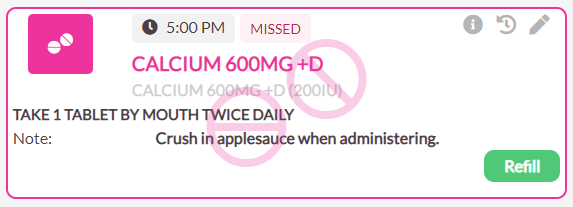
As seen below, these MAR/TAR/POS Drug Notes will also display on the order tile when the medication pops for administration.
Procedure for Adding a New MAR/TAR/POS Drug Note
To add a new MAR/TAR/POS Drug Note to an order:
Step 1: Select the desired resident.
Step 2: On the resident’s page, select the Add Note button.
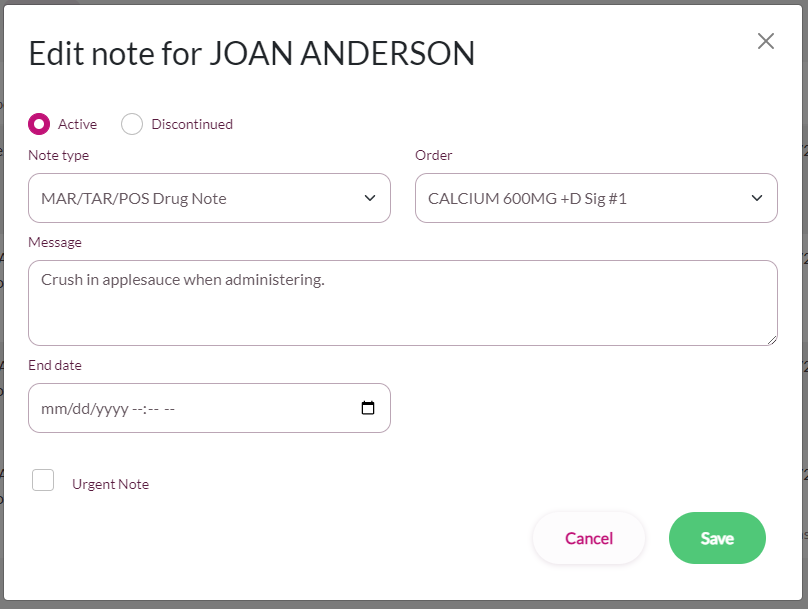
Step 3: Choose MAR/TAR/POS Drug Note as the Note Type.
Step 4: Select an order to attach the note to—an order must be selected when using the MAR/TAR/POS Drug Note type.
Step 5: Type the required message in the Message Field.
Step 6: Assign an End Date if necessary. ACCUflo will automatically assign an End Date of 12/31/2099 in the absence of an End Date.
Step 7: If the note should be urgent, the Urgent Note check box.
Step 8: Finally, select Save to save the new MAR/TAR/POS Drug Note.
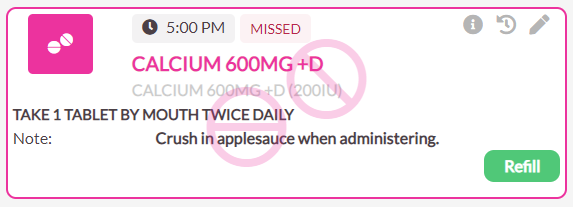
After adding a new MAR/TAR/POS Drug Note, the note entered will appear on the medication tile, the MAR, the TAR, and the POS.
Was this article helpful?
That’s Great!
Thank you for your feedback
Sorry! We couldn't be helpful
Thank you for your feedback
Feedback sent
We appreciate your effort and will try to fix the article