Wasted Meds
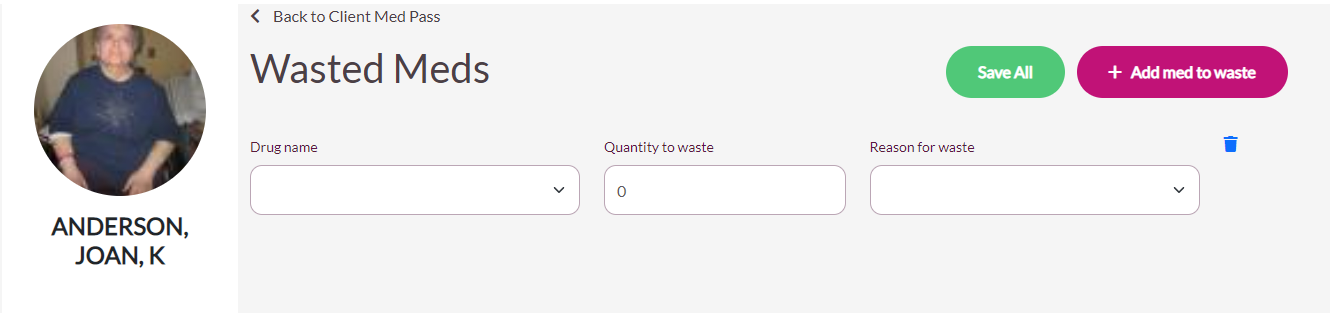
The Wasted Meds page displays and can be used to waste controlled and non-controlled medication. If the user is wasting a controlled substance, a second signature will be required.
Procedure for Wasting Medication
Step 1: Select Wasted Meds from the resident’s screen.
Step 2: Select the Drug Name drop-down and choose the medication to waste.
Step 3: Select Quantity to Waste and enter or select the number being wasted.
Step 4: Select the Reason for Waste drop-down and select the reason.
Step 5: To waste another medication, select Add Med to Waste and complete steps 2-4.
Step 6: When all medications have been wasted, select Save All to finalize the action.
Step 7: Two users are required to sign off when wasting narcotics in ACCUflo.
Was this article helpful?
That’s Great!
Thank you for your feedback
Sorry! We couldn't be helpful
Thank you for your feedback
Feedback sent
We appreciate your effort and will try to fix the article