Overview
In this article we will review Security Roles and how to view permissions.
Description
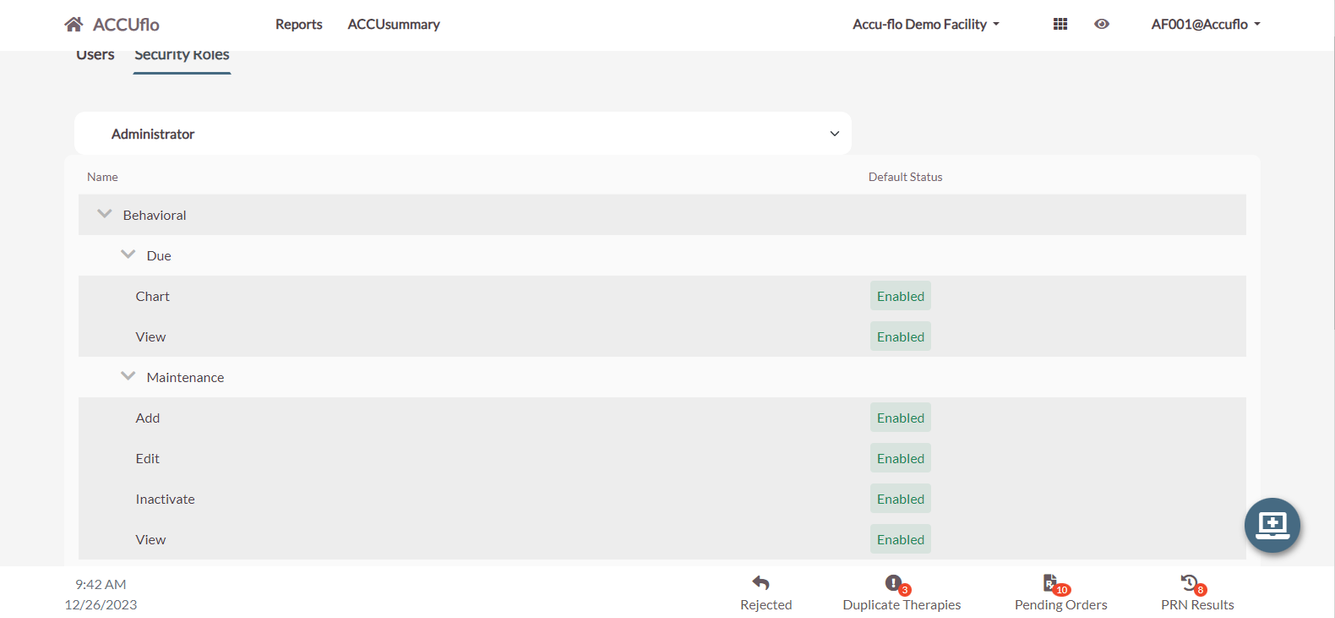
Users with the required permissions can view the permissions assigned to each role. Refer to Accuflo 6.0 APPENDIX A – SECURITY ROLES for user permissions for each role.
Step 1: Select the Waffle Menu, User Maintenance from the header of any screen in ACCUflo.
Step 2: Select Security Roles from the header of the User Maintenance Page.
Step 3: Select a Role from the drop down.
Step 4: Select the Carat located to the left of Permission Category to view permissions in that category for the selected role.
Was this article helpful?
That’s Great!
Thank you for your feedback
Sorry! We couldn't be helpful
Thank you for your feedback
Feedback sent
We appreciate your effort and will try to fix the article