Overview
In this article, we will review the Cycle Fill indicator in the ALINE eMAR (ACCUflo) application.
Facility Maintenance Features
- Enable Cycle Fill Check-In (Default is inactive for new and upgraded facilities). When this feature is enabled, all routine non-narcotic orders will automatically be set as in Cycle Fill for all interfaced orders originating from a dispensing system other than Framework or Axys.
- Include C3s-C5s (Default is inactive for new and upgraded facilities). When this feature is enabled, all routine C3, C4, and C5 orders will automatically be set as in Cycle Fill for all interfaced orders orginiating from a dispensing system other than Framework or Axys. Note: because of pharmacy regulations, we will never automatically default a C2 as being in Cycle Fill, the user can include it, but we will not default it.
- Other Settings on this page are not yet applicable and will have no impact on the application
Order Maintenance Features
When Enable Cycle Fill is active, a new option will display in the left panel of the order detail screen below the “Include Controlled Substance Count” option to indicate whether or not the order is part of Cycle Fill. Any user with appropriate permissions can add or remove orders from cycle fill.
Impacts to Refills
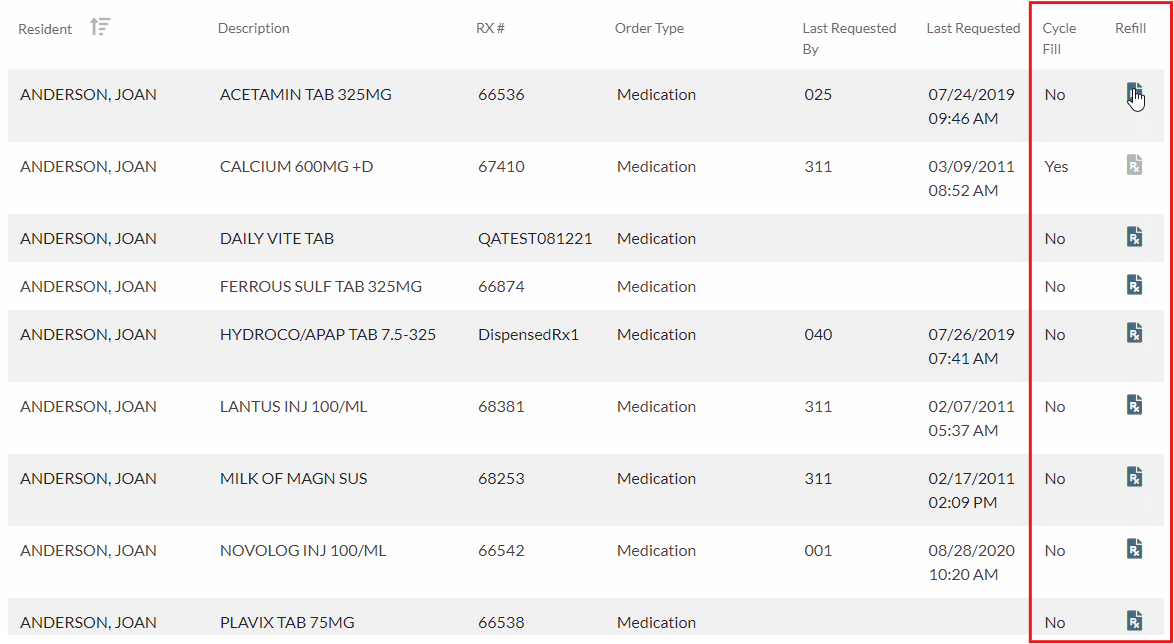
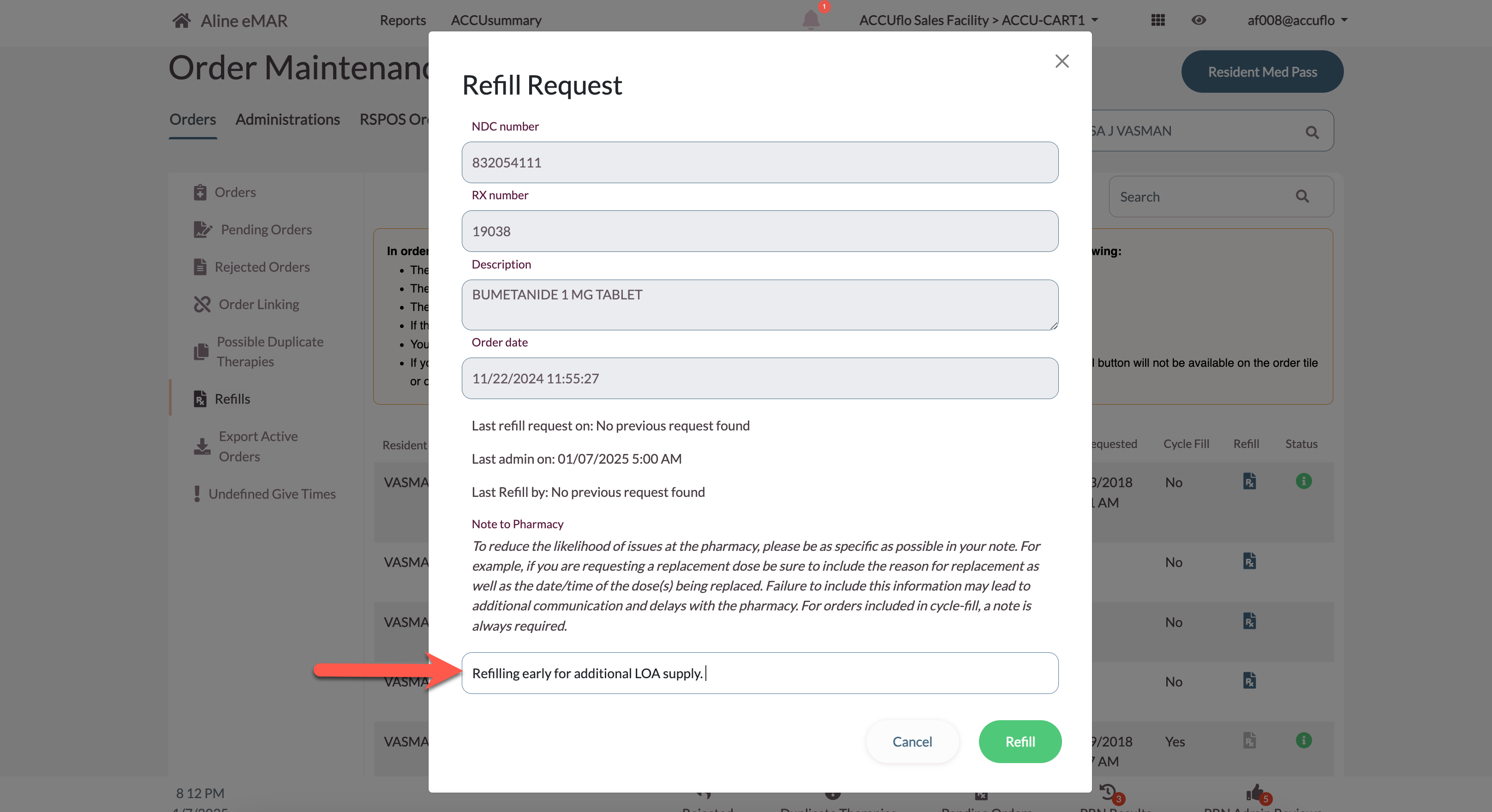
Because an order is already in a cycle fill process at the pharmacy (and perhaps already dispensed), when an order is flagged as being in cycle fill, selecting the refill button and requesting a refill will require a Refill Note to be added for the pharmacy.
Automatic Flagging
Framework & Axys interfaces send a cycle fill indicator in the RDE messages. Aline eMAR will process this indicator and set the order appropriately regardless of the facility feature.
For customers whose pharmacy uses a dispensing system other than Framework or Axys, Aline eMAR will default all routine non C-II orders as being in cycle fill. The community/pharmacy will need to manually exclude the order from Cycle Fill via the Order Maintenance toggle.
Was this article helpful?
That’s Great!
Thank you for your feedback
Sorry! We couldn't be helpful
Thank you for your feedback
Feedback sent
We appreciate your effort and will try to fix the article