Aline eMAR Release Announcement – May 2025
Release: 6.12
We’re excited to introduce the Aline eMAR 6.12 release, designed to improve efficiency and enhance refill documentation, operation overviews, and self-service functionalities! This update includes powerful new tools like Cycle Fill Check and Med Summary along with enhancements to controlled drug linking and self-service functionalities like offline overrides and password resets.
Should you have any questions or need assistance, please reach out to your Aline CSM!
New Features and Enhancements
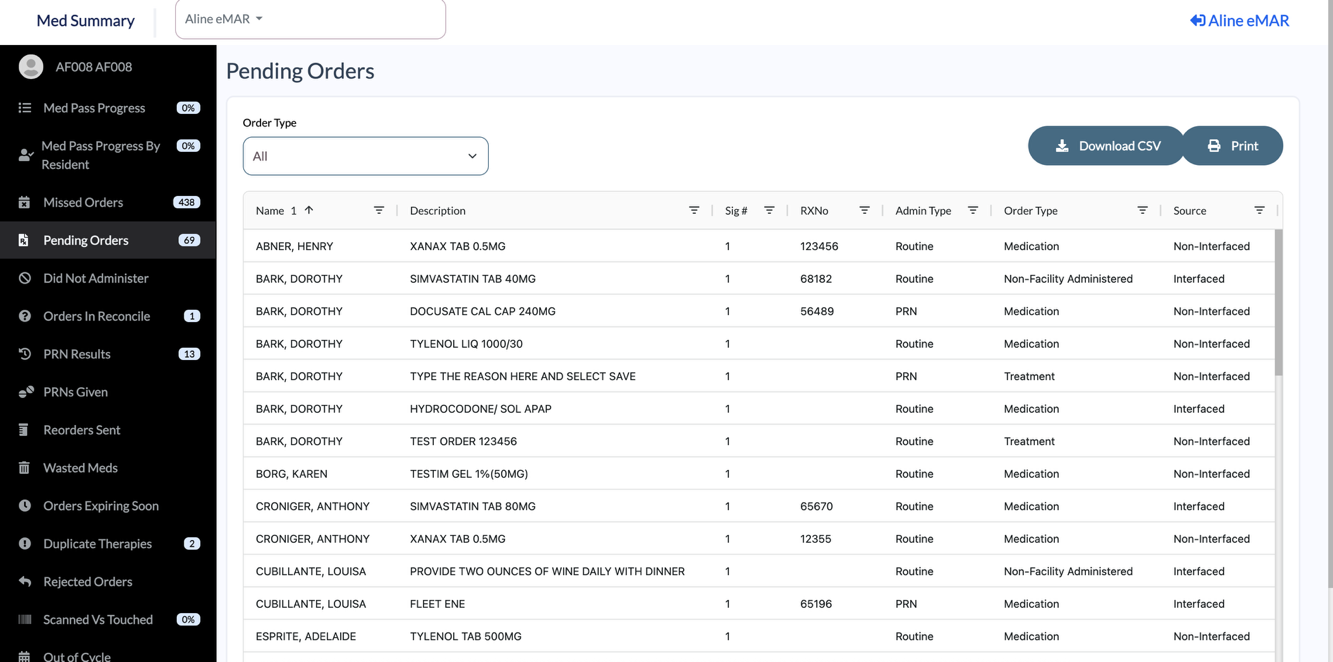
Med Summary
Keep up to date on your clinical operations with Med Summary by tracking data like Med Pass Progress, Missed Orders, PRN Administrations, Refills, Scanned VS Touched Meds, and more!
With Aline Smart Grid technology, users can sort and filter the data using the column headers on every page in Med Summary.
Benefit: Enables enhanced high-level reporting in a flash with no disruption to existing workflows.
Cycle Fill Check In
While a resident’s medications can be labeled as Cycle Filled to prevent unnecessary refill requests, the new Cycle Fill Check In tool allows users to compare cycle fill deliveries to a manifest created in Aline eMAR in order to ensure all cycle fill medications were received from the pharmacy. Digital communication to the pharmacy regarding missing deliveries is also available.
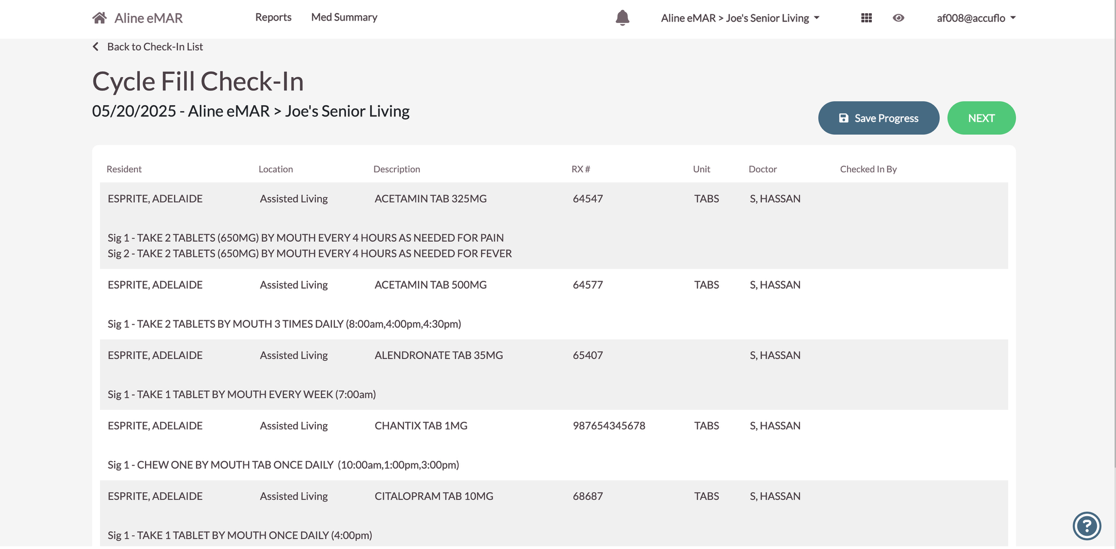
Benefit: Ensures accurate tracking of cycle filled medication deliveries complete with documentation available for review and export.
Controlled Drugs – Automatic C2 Order Linking
Schedule II (C2) medications require physicians to write new prescriptions each month and pharmacies must enter these replacement scripts as new orders.
When the Auto Approve Equivalent C2 Orders option is enabled, this enhancement will automatically review and approve C2 replacement orders, linking old and new in the process, as long as specific scenarios are met, such as the orders being therapeutically identical and active for the resident.
Benefit: Reduces the administrative overhead of reviewing pending C2 orders.
Self Service Offline Authorization Override
The new feature Self-Service Offline Override is enabled by default upon upgrade.
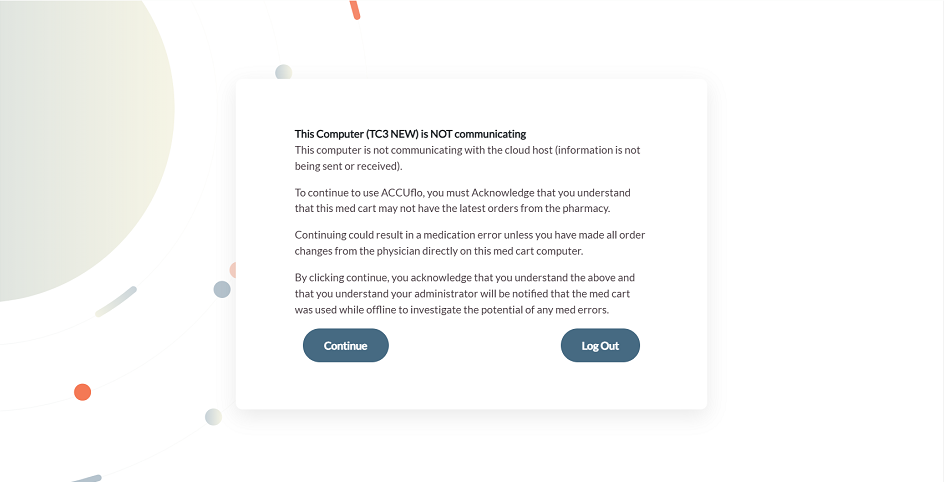
When enabled, when a user logs in to a local install that would typically prompt for an offline authorization code, they will now be presented with text advising them the local install has been offline, and that the data is not current.
The user must acknowledge that they understand the impacts of being offline. When connectivity is restored, the administrator will receive an email notifying them that the cart was used after having been offline for longer than their threshold. It will also include the amount of time the local install was offline. This information is also available in the Self-Service Offline Override report.
Benefit: Users can now acknowledge their understanding of the risks and status of the device and proceed with their tasks working offline indefinitely without the requirement to contact Aline Customer Support.
Self Service Password Reset
After successfully answering Security Challenge Questions, users can now reset their password from any device that they have previously logged into successfully in place of requesting a Password Assist Code from Aline Customer Support or receiving a code from their administrator. Aline eMAR accomplishes this by utilizing a browser trust token in the background. Administrators will receive an email notification of the user’s successful password reset.
Benefit: Increases ease of application access and lessen burden on community administrators.
Was this article helpful?
That’s Great!
Thank you for your feedback
Sorry! We couldn't be helpful
Thank you for your feedback
Feedback sent
We appreciate your effort and will try to fix the article