Overview
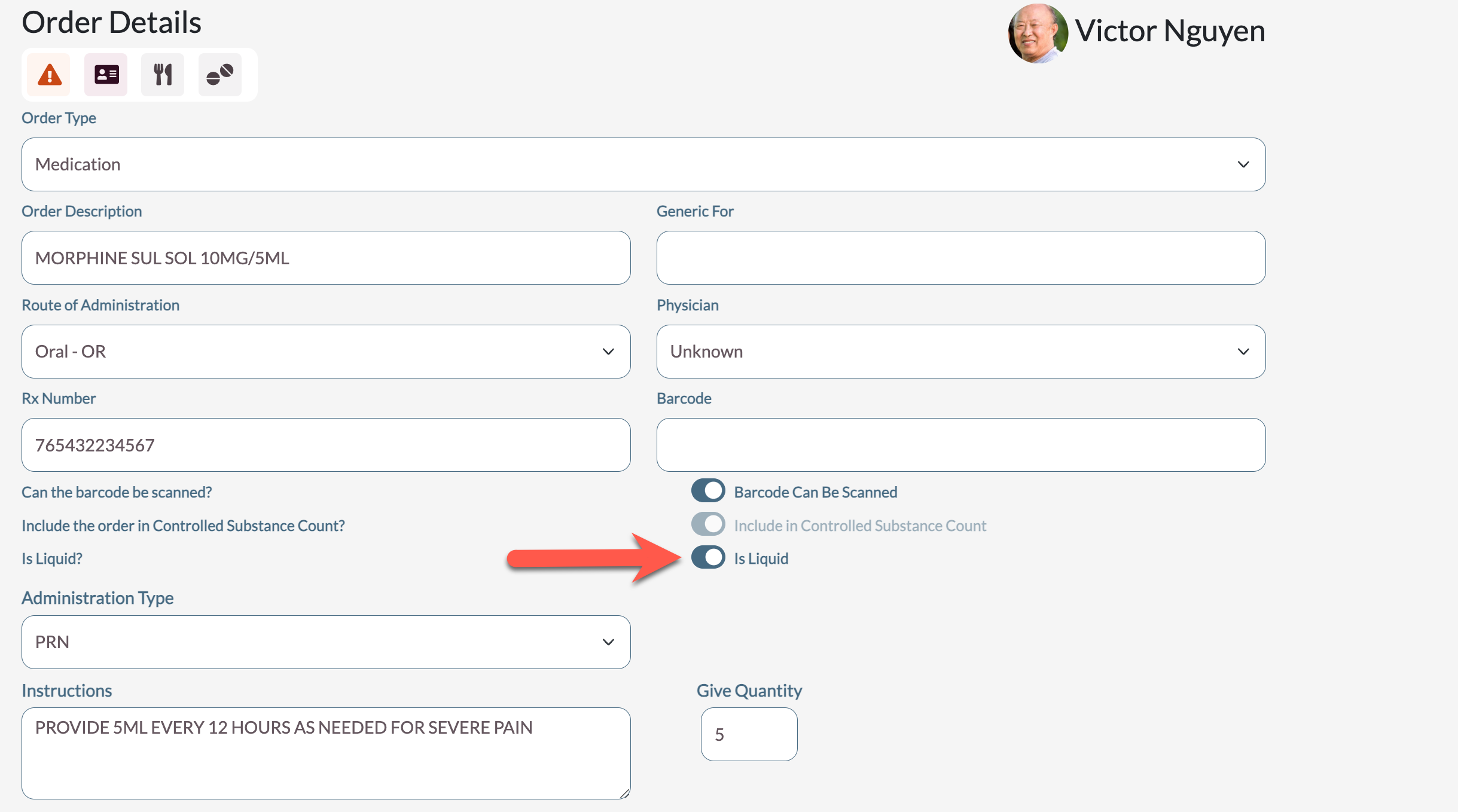
Displaying Liquid Quantity on Hand changes some of the display aspects of the Inventory Management system. Interfaced and Non-Interfaced Orders will automatically be marked as liquid or non-liquid by the system when they are added and can be changed by users with permissions to do so on the Order Detail page. When active, liquid orders will display the current Quantity on Hand on the Controlled Substance Count Entry screen. The facility will need to confirm the amount that is on hand, and if there is a discrepancy, send the order to reconcile to be addressed. There are also new filters and icons on the Medication Check In and Remove From Drawer pages to indicate which orders are liquid, and display only liquid orders.
Procedure to Activate Display Liquid Quantity on Hand
- Select the Waffle Menu and Facility Maintenance
- Select Settings from left panel
- Select Controlled Substance Count tab
- Toggle Display Quantity on Hand during Controlled Substance Count for liquid dose forms to Active
- Save Settings

Procedure for Manually Setting the Liquid Flag
- Select the a resident
- Select the Waffle Menu and Order Maintenance
- Select an order
- Toggle the Is Liquid flag to ON or OFF
- Select Save
Liquid Display Changes
Medication Check In
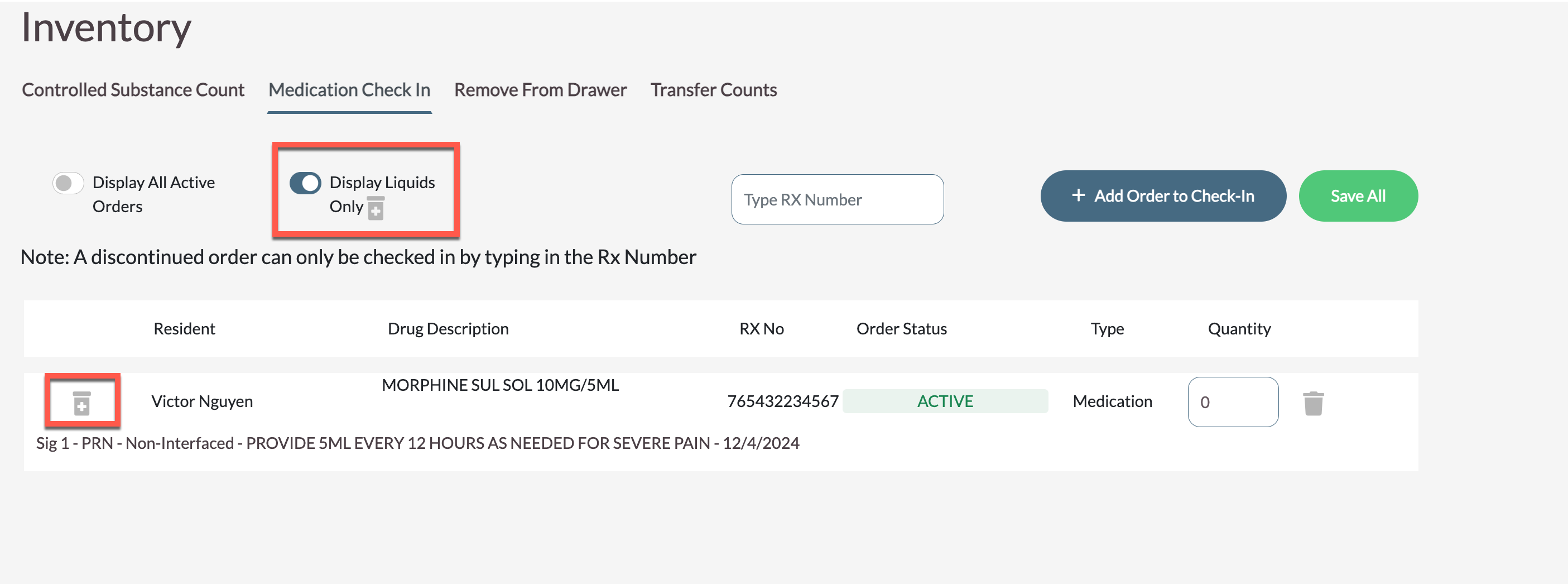
The Medication Check In screen shows a Liquid Icon to indicate which orders are liquid on each entry added to check in. The Display Liquids Only filter has the same Icon, and, if applied, only shows controlled substances that are marked as liquid.
Remove From Drawer
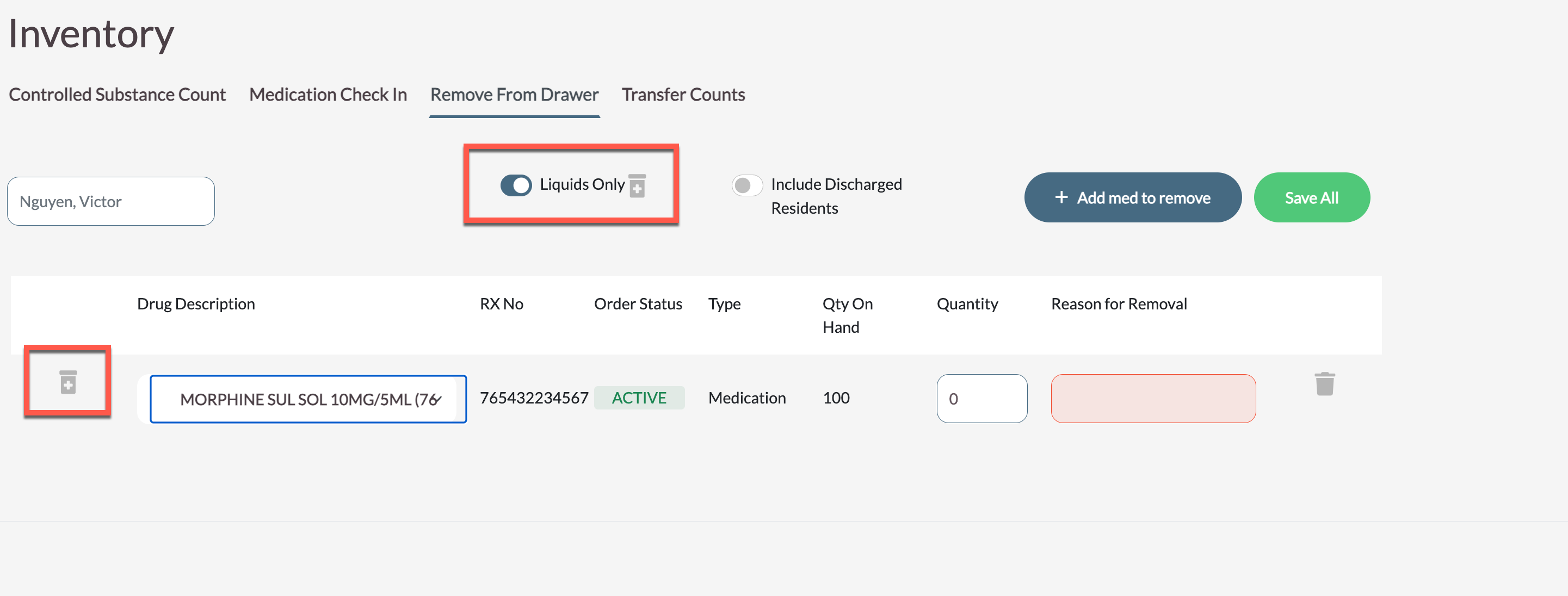
The Medication Check In screen shows a Liquid Icon to indicate which orders are liquid on each entry added for removal. Liquids being removed also show the Qty On Hand column which will display the current inventory counts for the order stored in ACCUflo (in this example there is no inventory on the order so the field is blank).
The Liquids Only filter has the same Icon and if applied, only shows controlled substances that are marked as liquid.
Controlled Substance Count
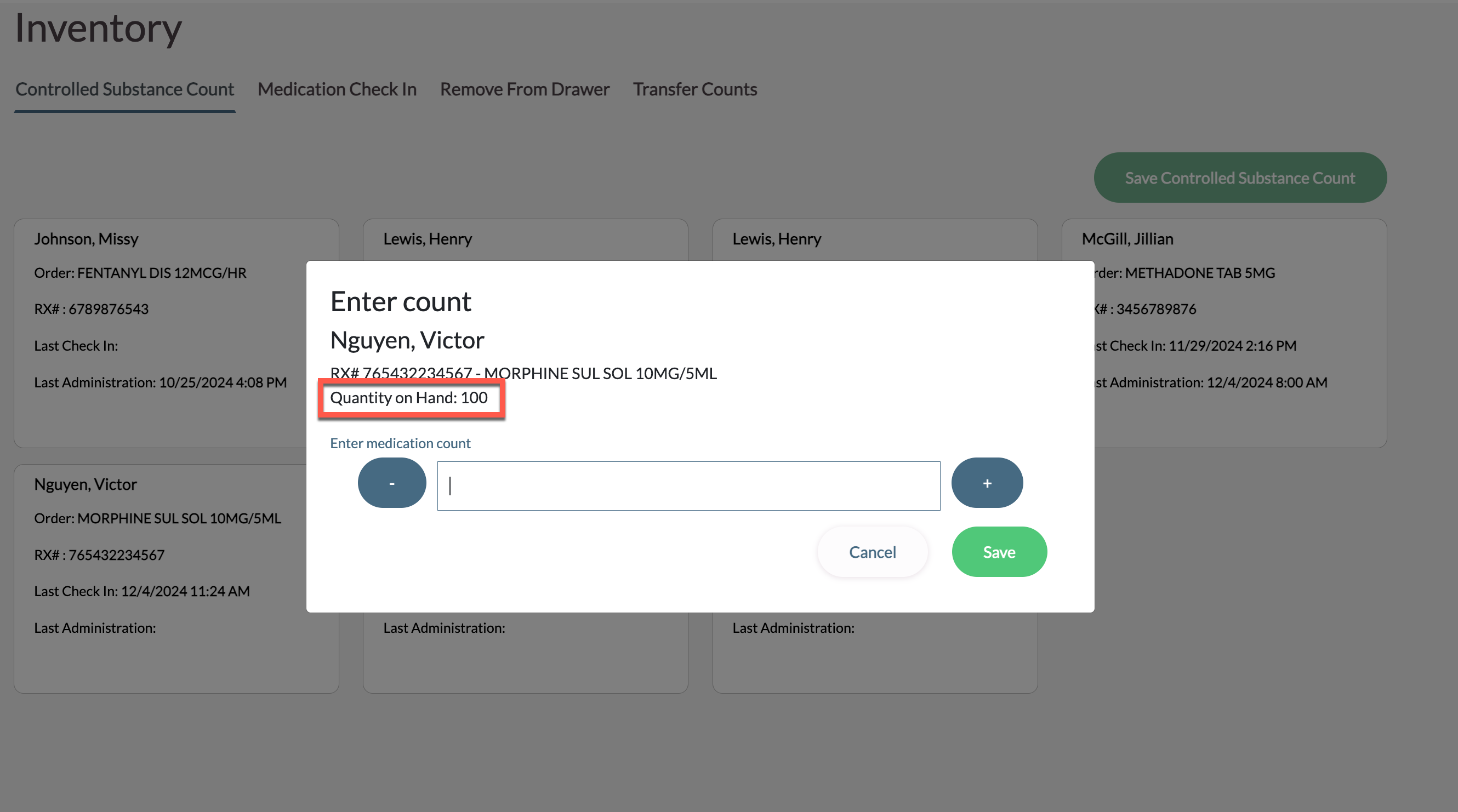
When performing a Controlled Substance Count, liquid orders will show the Quantity on Hand in the system below the order information. The Medication Count should still be what is physically present and the order should go to reconcile if the two counts do not match.
Was this article helpful?
That’s Great!
Thank you for your feedback
Sorry! We couldn't be helpful
Thank you for your feedback
Feedback sent
We appreciate your effort and will try to fix the article