Hold Orders
The Hold Orders page is used to chart order(s) as Did Not Administer prior to the administration time so the order(s) will not display for administration.
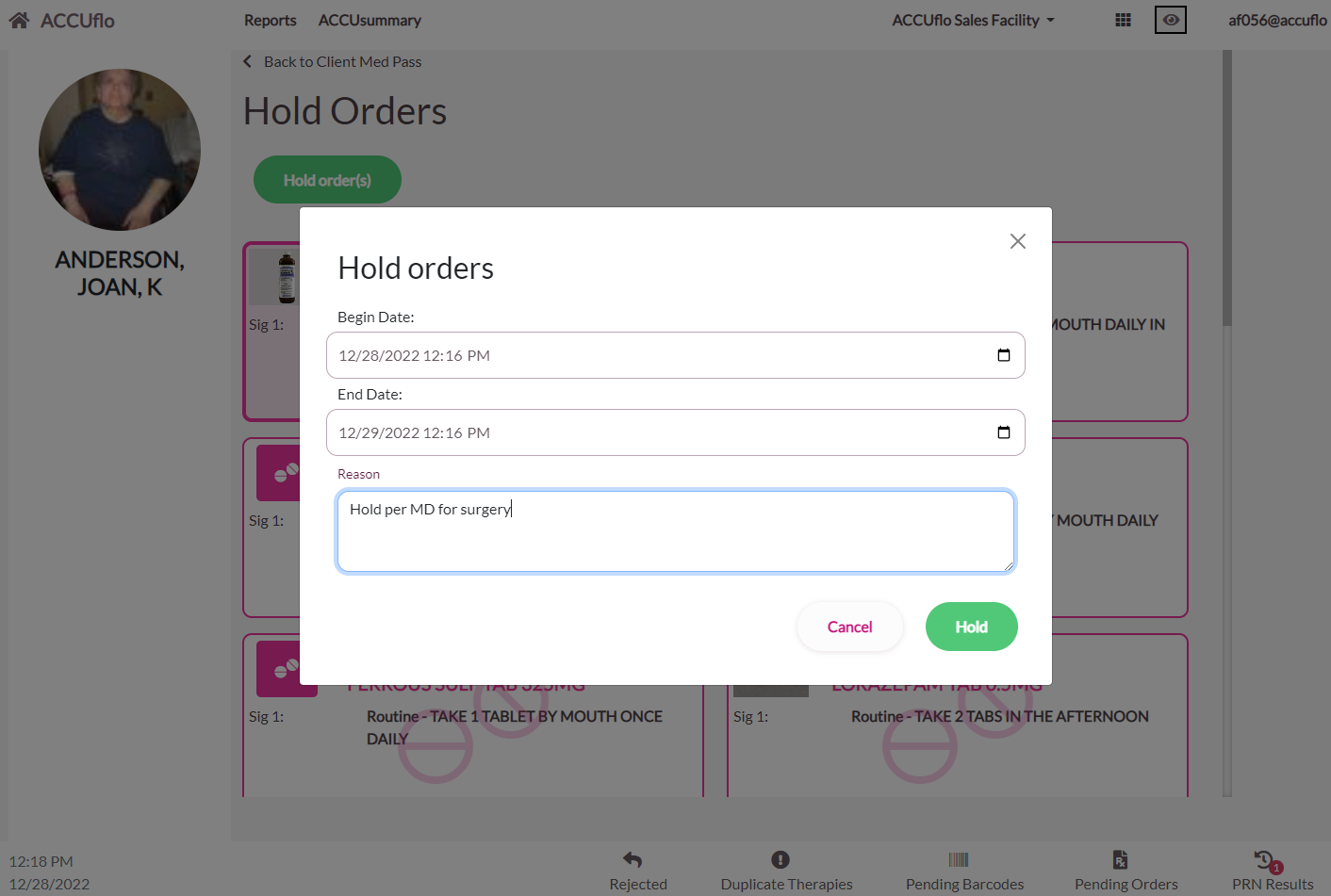
Procedure for Holding Orders
Step 1: Select Hold Orders to display the resident’s active orders. Users can search for a specific order by typing the order description in the Search by Name box.
Step 2: Select the order(s) needing to be held.
Step 3: Select Hold Order(s).
Step 4: Select a Begin Date/Time.
Step 5: Select an End Date/Time.
Step 6: Enter the Reason orders are being placed on hold.
Step 7: Select Submit.
Step 8: The number of administrations held will display; select Close.
Procedure for Taking an Order Off of Hold
When an order is placed on hold, ACCUflo charts the order as Did Not Administer for the duration of the hold. To undo the hold, see: Procedure for Undo Administration
Was this article helpful?
That’s Great!
Thank you for your feedback
Sorry! We couldn't be helpful
Thank you for your feedback
Feedback sent
We appreciate your effort and will try to fix the article