Overview
In this article we will review the process of having Non-Federally Controlled Orders Counted in the Controlled substance Count. If the feature is active, a community can count non-federally controlled medications in Controlled Substance Count. This feature is used for any medication that is not required by federal law to be accounted for as a controlled substance.
Selecting Non-Federally Controlled Medication Order to be included in Controlled Substance Count
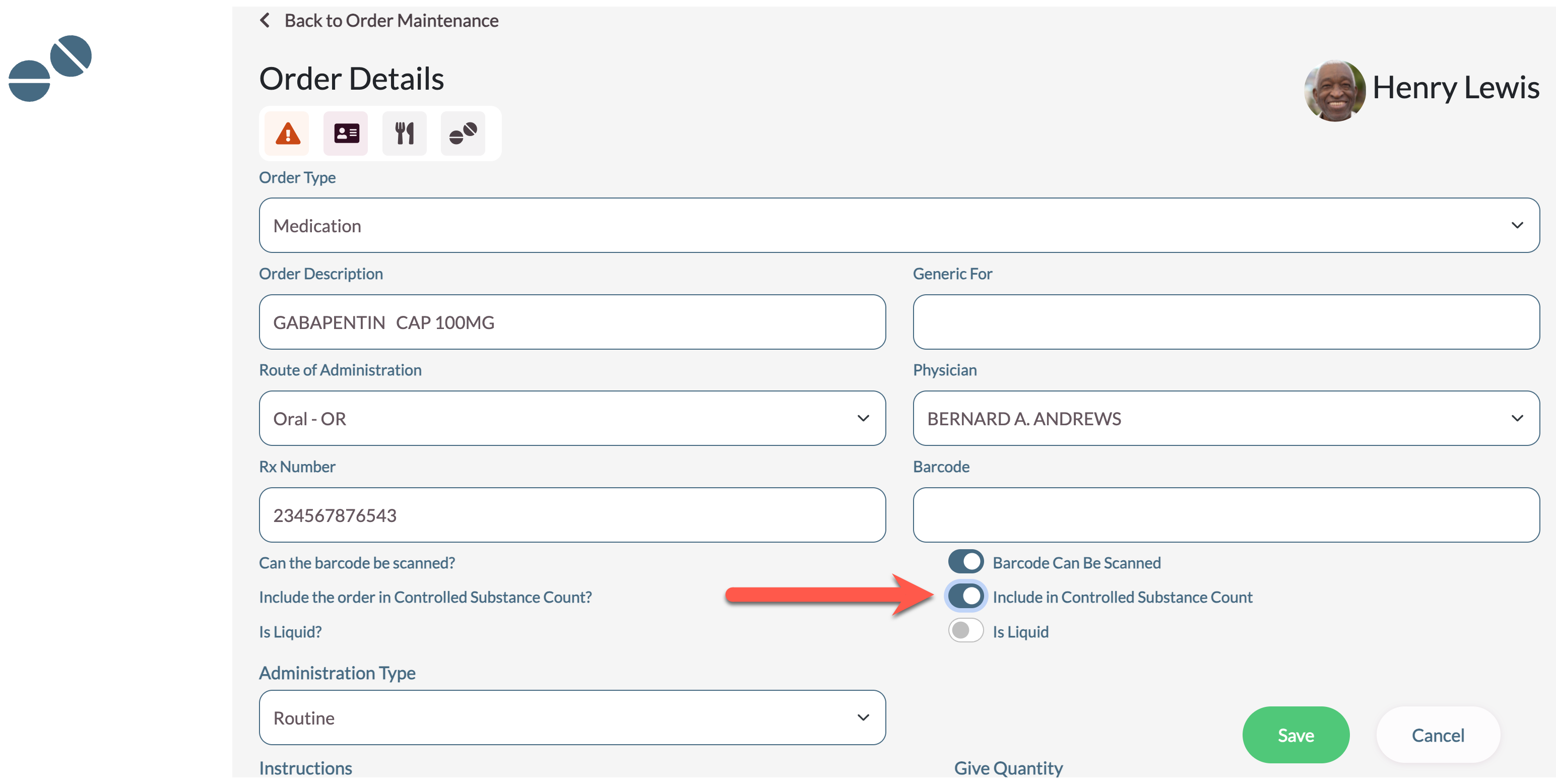
Users will find the option to count the medication available on the Order Detail page of an order. It can be selected from an existing order or a new order in pending. The order type must be a Medication or Other order to have the feature populate. Selecting Yes for Include Medication in Controlled Substance Count will put this order in Controlled Substance Count and will add an icon on the order when it is displayed.
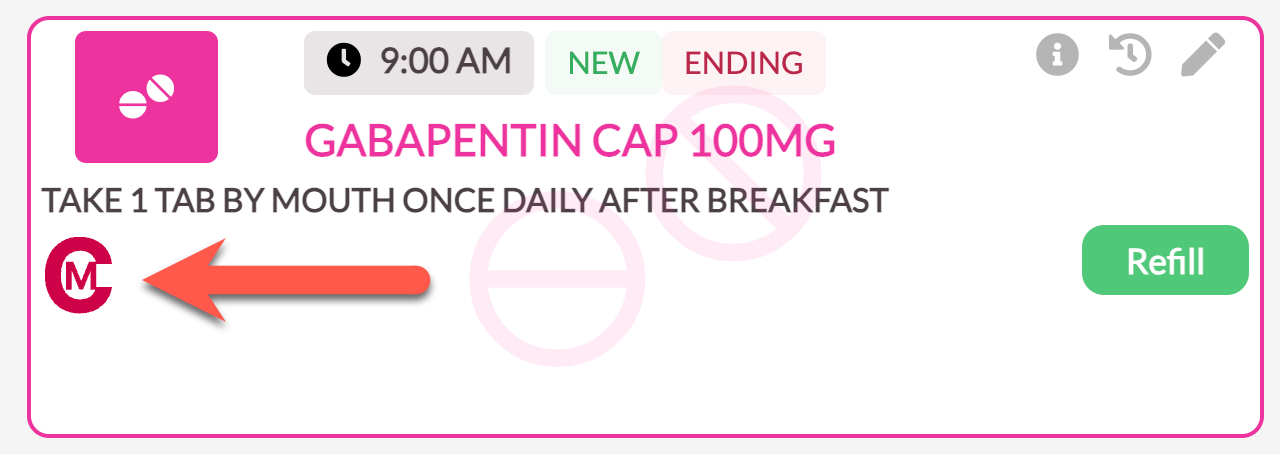
This medication will be added to Controlled Substance Count and will require the same procedures as controlled substances to ensure an accurate accounting.
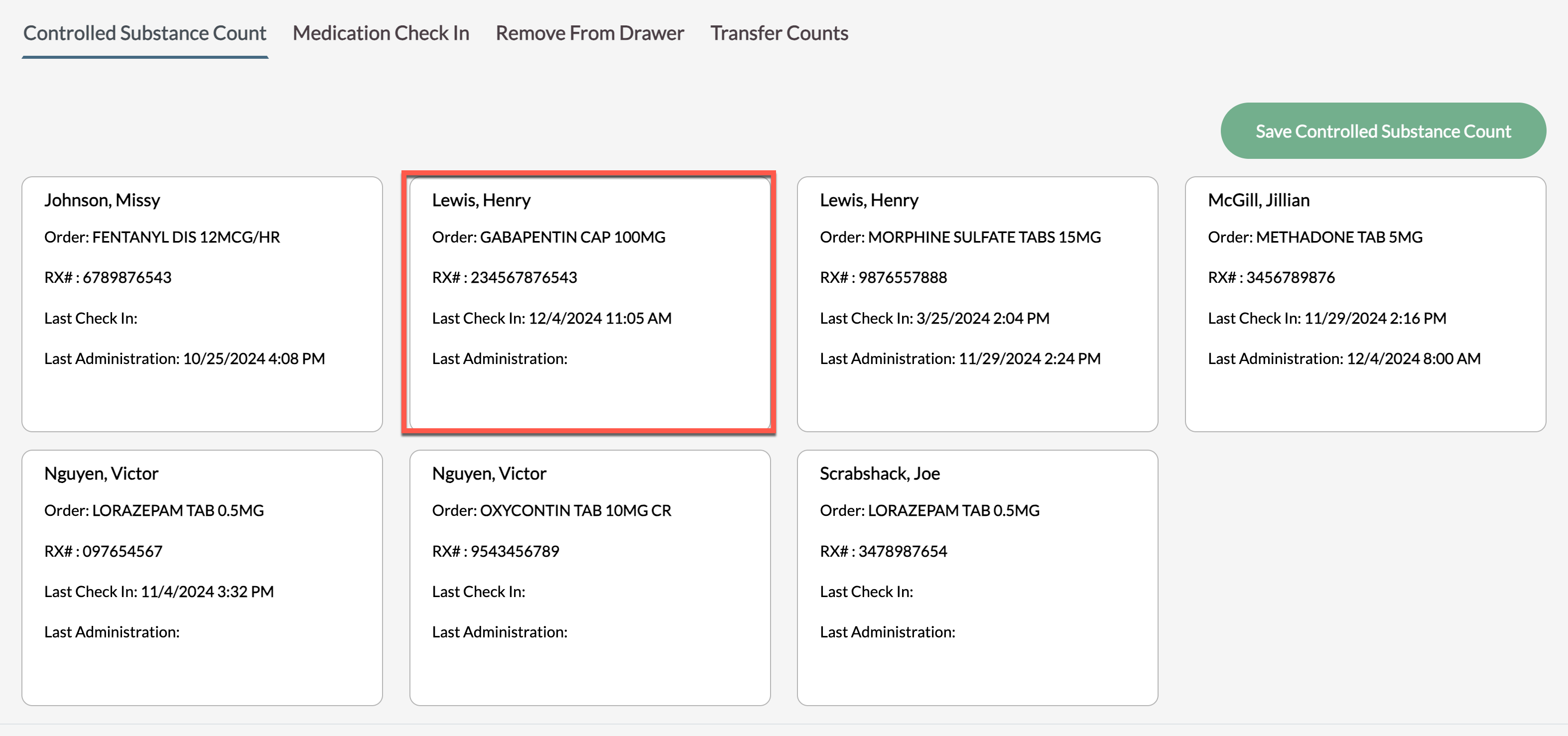
Users will find a report that is specifically for non-federally controlled meds that have been selected to be counted. It is called Non-Federally Controlled Orders Included in Controlled Substance Count Report. This report lists all orders that have been selected from the Order Detail screen to be counted in the Controlled Substance Count process.
Was this article helpful?
That’s Great!
Thank you for your feedback
Sorry! We couldn't be helpful
Thank you for your feedback
Feedback sent
We appreciate your effort and will try to fix the article