Overview
In this article we will review the process of Reconcile Counts.
Procedure for Reconcile Counts
Step 1: Select the Waffle Menu, then Reconcile Counts from the header of any screen in ACCUflo.
Step 2: If the setting to require two signatures is Active, then the user logging in to Reconcile Counts must be an Advanced or Administrative user - while the second login can be Limited, Intermediate, Advanced, or Administrative.
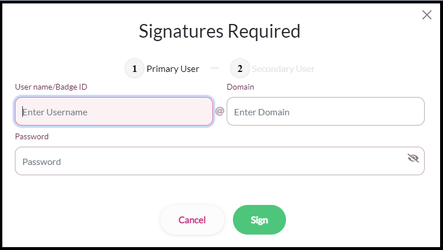
Note: If Controlled Substance Count by Schedule is enabled, one of the users Reconciling the counts must have the Nurse Role or C-2 Permission.Step 3: After the primary and secondary users login, select the medication to be reconciled from the list by clicking the reconcile button.
Step 4: Update the Correct Quantity on Hand count. Users will be required to enter an explanation for reconciliation.
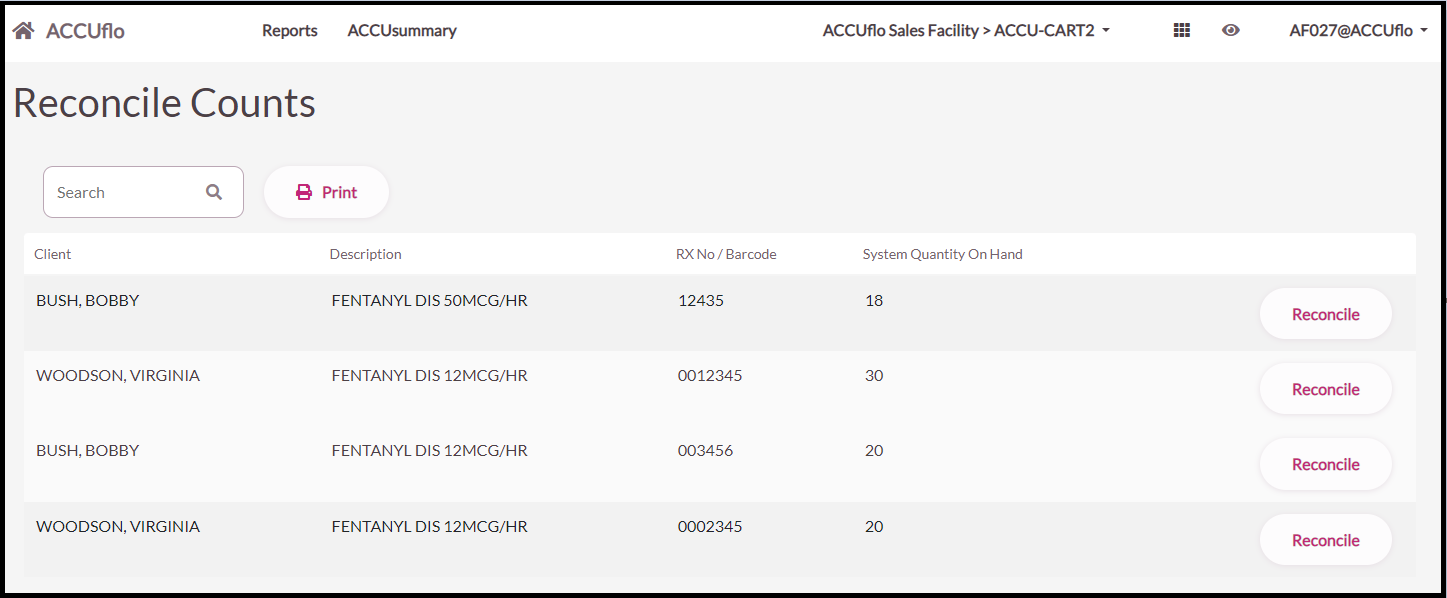
Step 5: Select OK
Step 6: Repeat steps 2-4 until all orders are reconciled.
Was this article helpful?
That’s Great!
Thank you for your feedback
Sorry! We couldn't be helpful
Thank you for your feedback
Feedback sent
We appreciate your effort and will try to fix the article