Overview
In this QRG article we will review the warning messages one can receive during the Controlled Substance Count process and the steps to perform when you receive the different warning messages'.
QRG Controlled Substance Count - Warning Messages'
"The inventory count on this medication is 0 or less. Please check in additional inventory for narcotic count"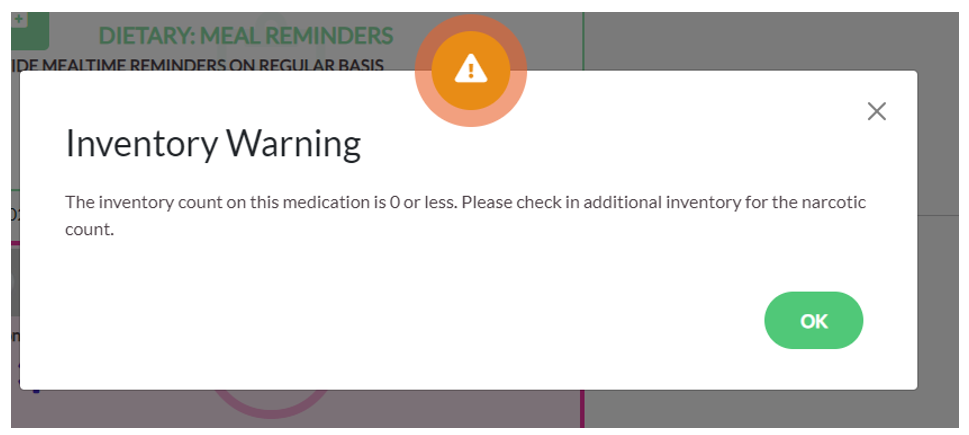
Step 1: Select Waffle Menu
Step 2: Select Medication Check in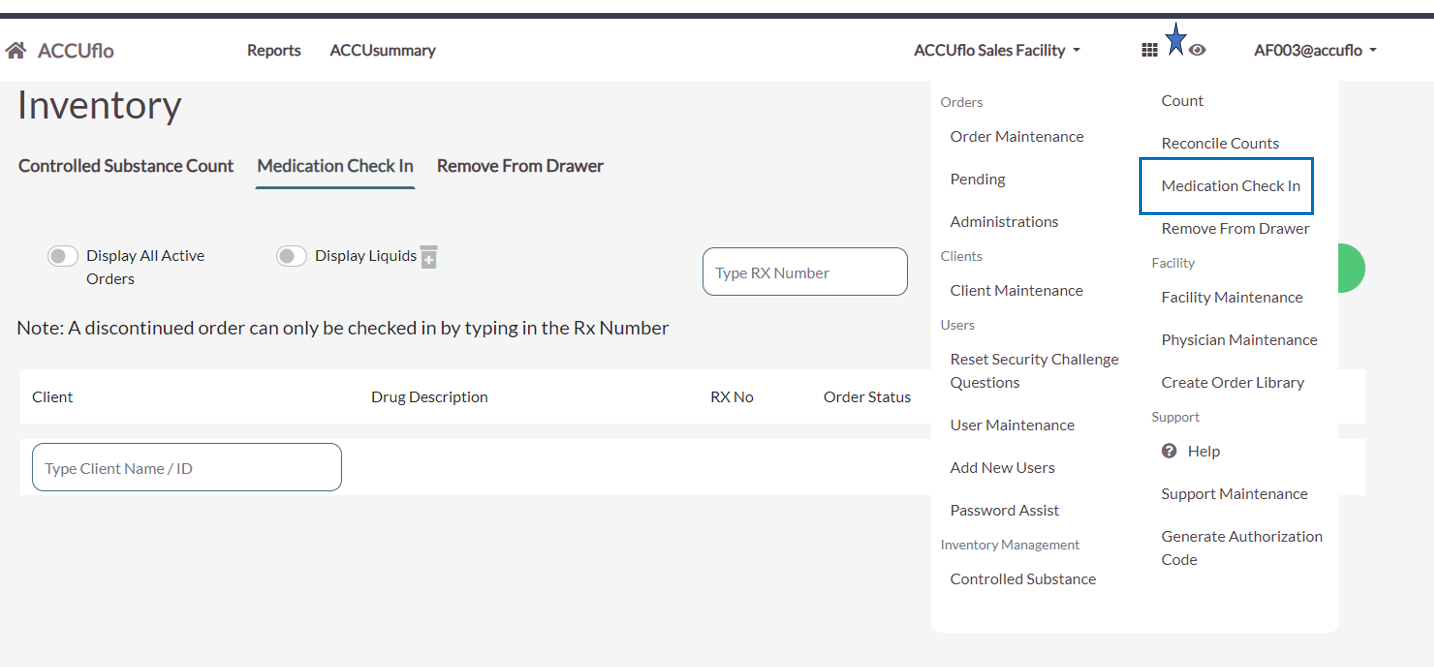
Step 3: Check in the inventory of controlled medication on hand.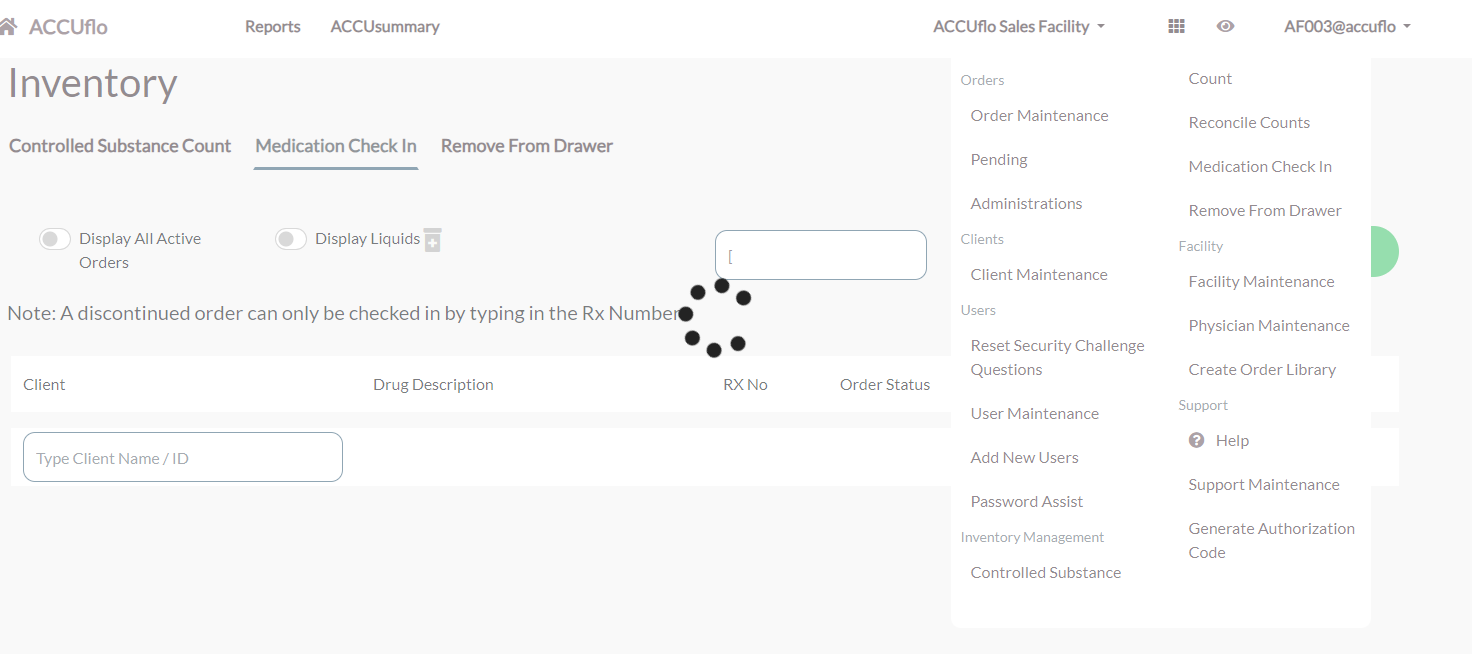
Note: Continuing without checking in will cause the inventory of this medication to become negative.Unreconciled Medication Counts - There are one or more unreconciled medication counts : Reconcile these counts or notify the appropriate person(s) immediately.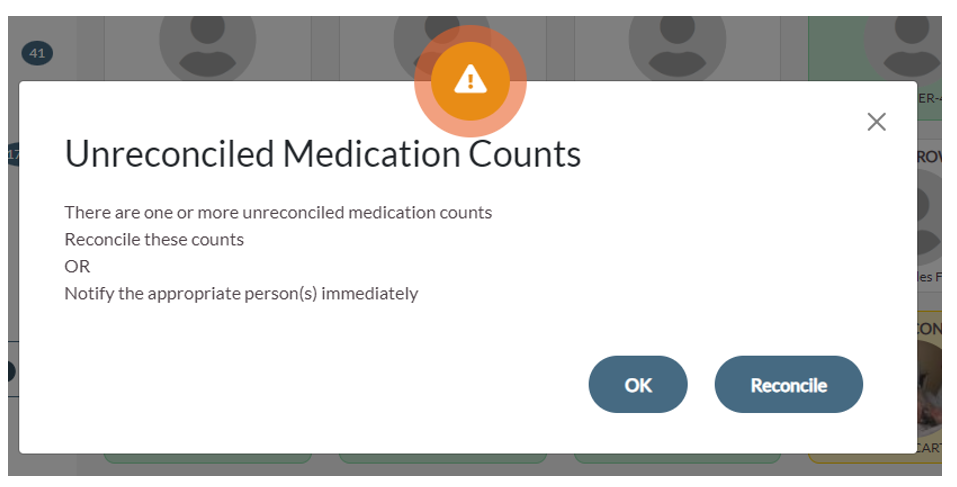
Step 1: Select the waffle menu.
Step 2: Select Reconcile Counts.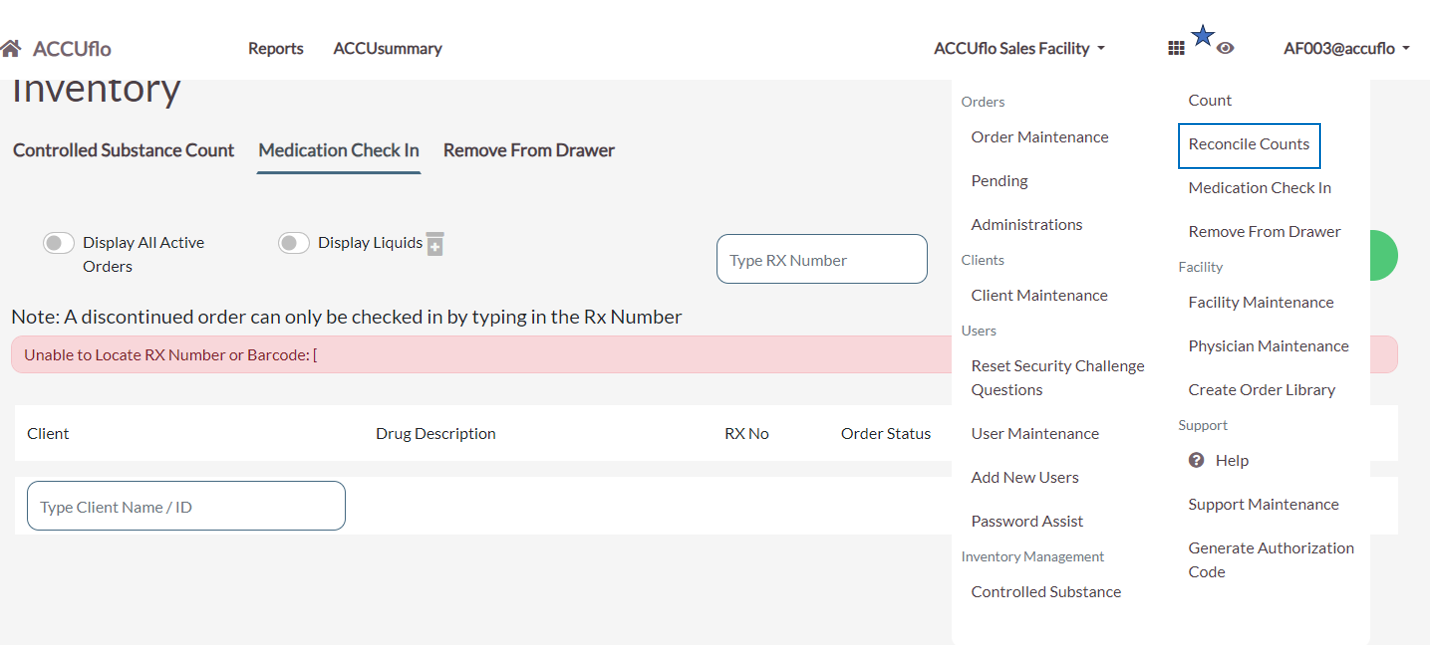
Step 3: Select Reconcile on the medication to be reconciled from the list.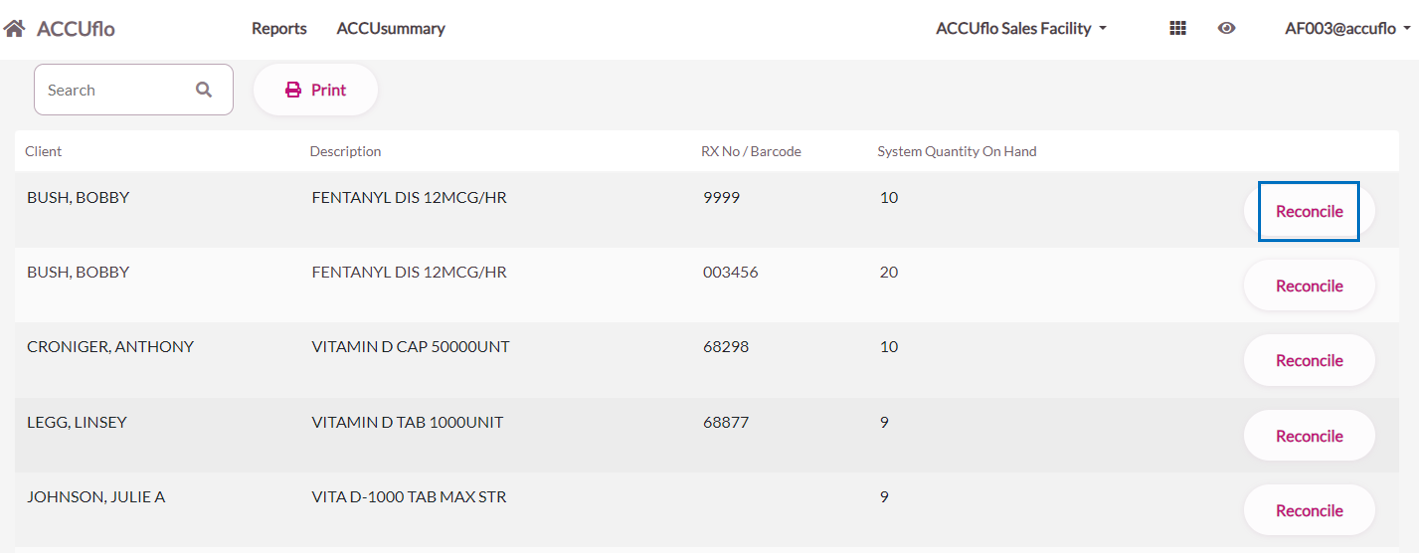
Step 4: Update the correct quantity on hand count.
Step 5: Enter a reason for the discrepancy.
Step 6: Select Reconcile.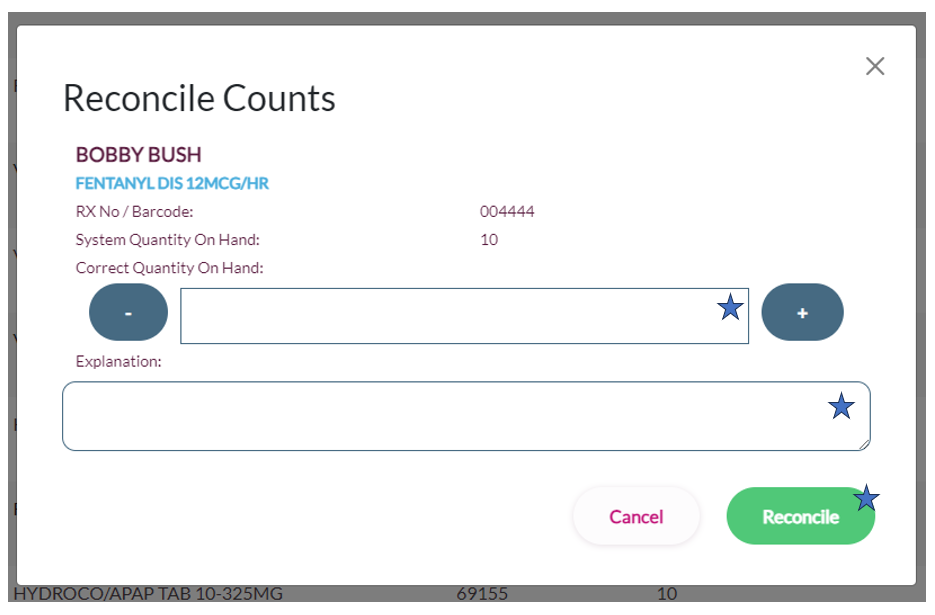
Note: Users will be able to see the possible reasons for the discrepancy entered by the med passer but will be required to enter their own reason.
Step 7: Repeat steps 3 thru 6 until all orders are reconciled.
Note: This typically requires a user role of Advanced or Administrator to reconcile a medication - contact your supervisor. Use the Inventory report to determine the cause of a discrepancy. The Controlled Substance Reconciliation Report will also list all items that have been reconciled.
Was this article helpful?
That’s Great!
Thank you for your feedback
Sorry! We couldn't be helpful
Thank you for your feedback
Feedback sent
We appreciate your effort and will try to fix the article