Overview
A missed order is an order that was not administered within the community's designated give time window. In this article we will review missed orders and the procedure to chart or document those items.
All orders are required to be charted
If an order is missed, users will chart the order as usual, but users are also required to enter the reason the order is being charted late—the Out-of-Cycle Reason. Each caregiver is responsible for assuring all the orders due on the shift are charted.
The Missed Orders tab is displayed on the Header of both the Main Residents screen and the Left Panel Resident’s screen.
If there are missed orders, the number of missed orders will display.
The Main Residents screen will display the number of missed orders for the Selected Group in the header area.

The Resident’s screen will display the number of missed orders for the selected resident only in the left panel.
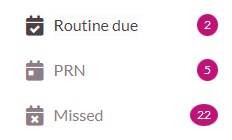
Note: At the change of shift, users should confirm all orders have been administered. If all orders have been administered, the Missed Orders tab will display a zero.Procedure for Charting Missed Orders
Step 1: From the Main Residents screen, select the Missed Orders tab in the header. This will filter only residents who have missed orders.
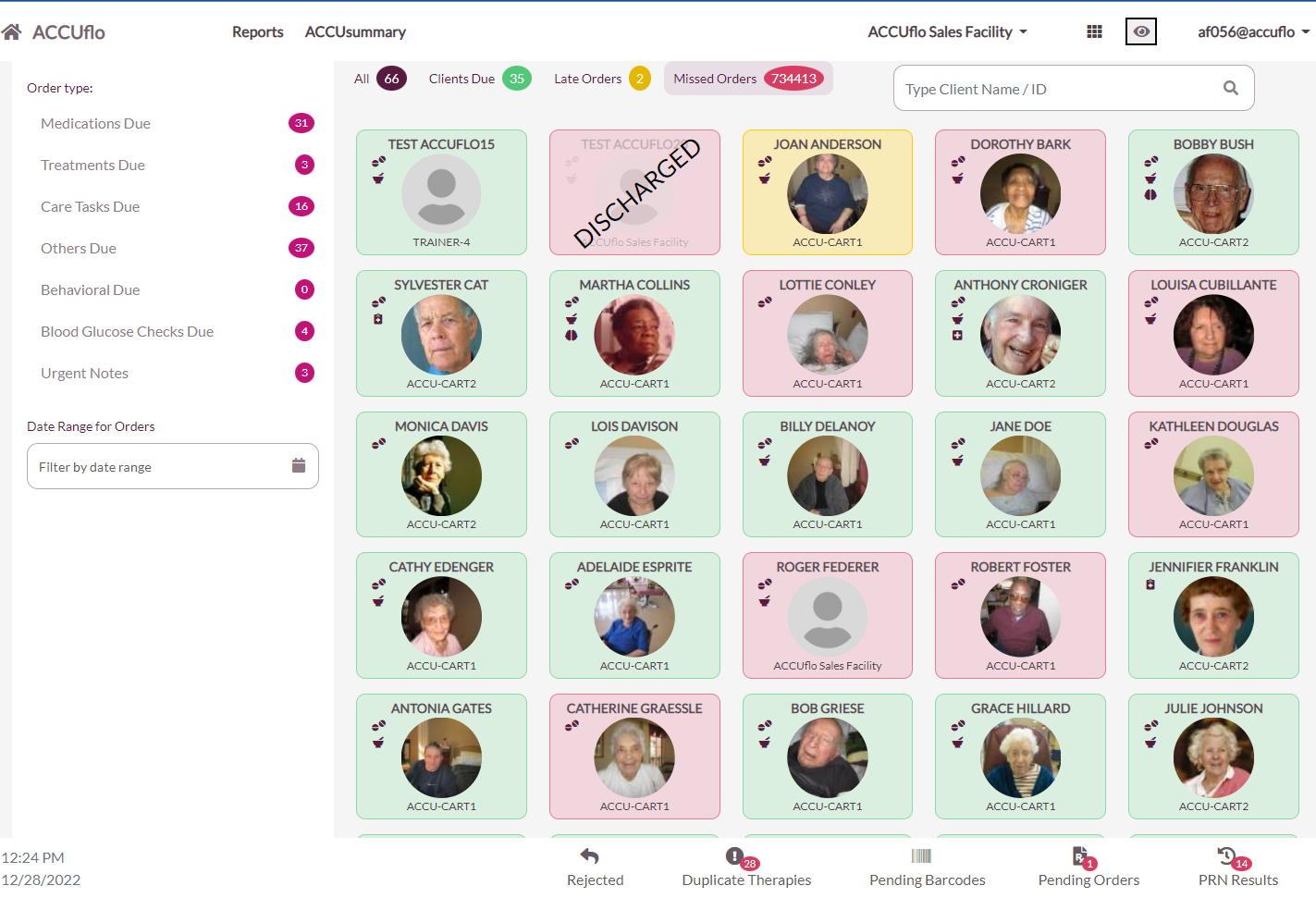
Step 2: Select a Resident’s Tile or use Search and enter the resident’s first or last name to select the resident from the available options. If prompted to chart missed orders, select Chart Now. This will display the resident’s missed orders that still need to be charted.
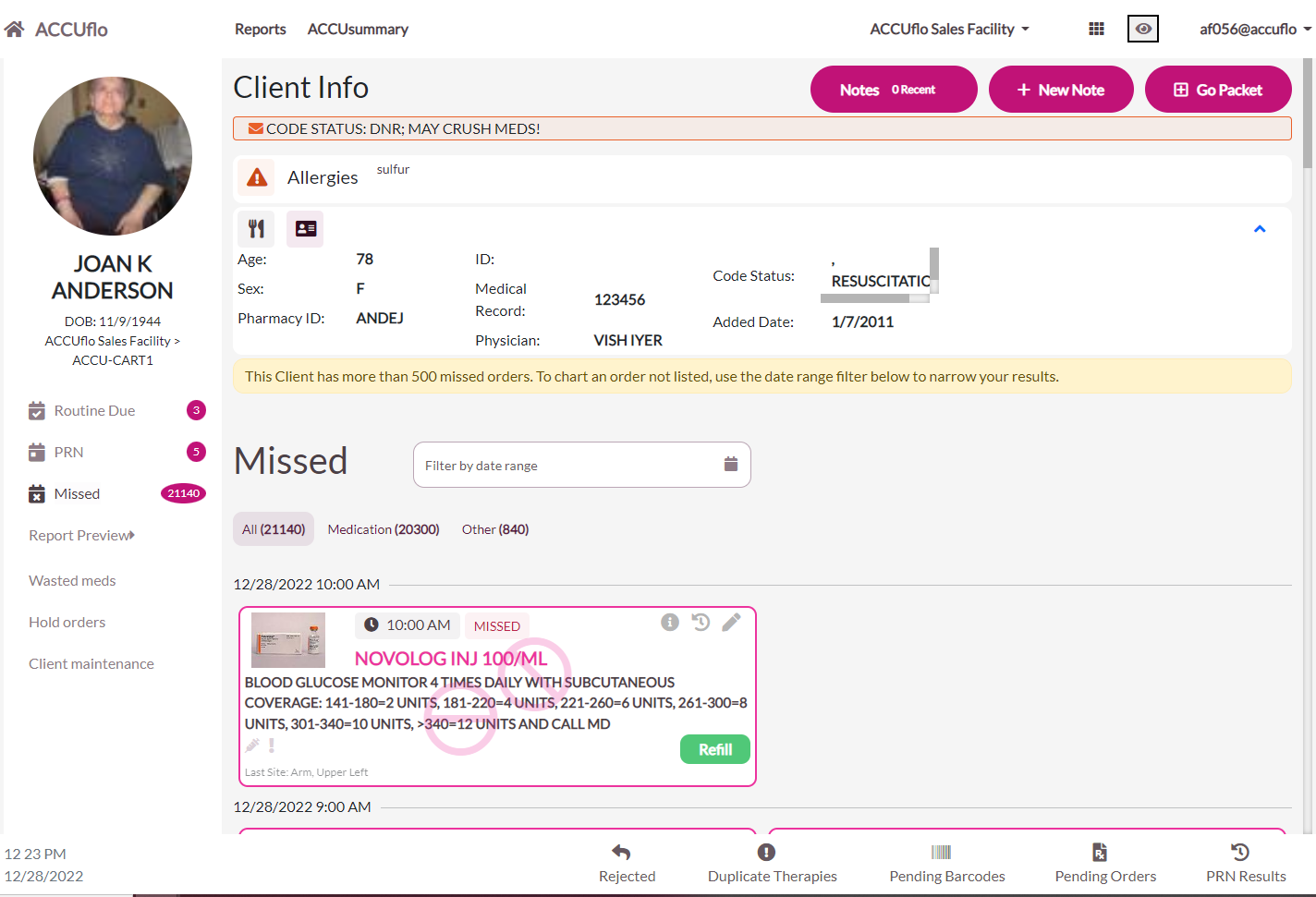
Step 3: Select the orders to be charted.
Step 2: Select Administer, Did Not Administer, Home Health, or Self Administration.
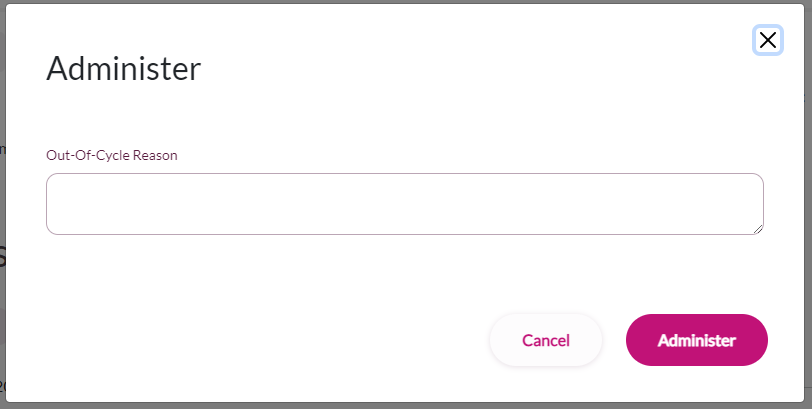
Step 3: On the Chart Actions screen, users will be prompted to enter the Out-of-Cycle (OOC) reason and any required order actions like site, temperature, etc. Enter the reason the order is being charted out of the compliance window.
Step 4: Select Administer.
Note: Missed orders appear in reverse chronological order. If a resident has more than 500 missed orders, only the most recent 500 missed orders will display. This will be indicated by a message in a yellow warning box. If the order needing to be charted is not displayed, use the date range filter.Was this article helpful?
That’s Great!
Thank you for your feedback
Sorry! We couldn't be helpful
Thank you for your feedback
Feedback sent
We appreciate your effort and will try to fix the article