Overview
In this QRG article we will review the process of removing a medication from the Controlled Substance Count. This could be due to a resident who has gone on a leave of absence / short term leave, or a medication needs to be destroyed.
QRG Controlled Substance Count - Removing a Medication
Note: If a med is not removed from the drawer, the count will be off during the next Controlled Substance Count. The Remove from Drawer Report will list all items removed from the inventory. Use this to confirm quantity on hand.
These steps are needed if a controlled medication needs to be removed from the Controlled Substance Count:
Step 1: From the Waffle Menu, select 'Remove from Drawer'.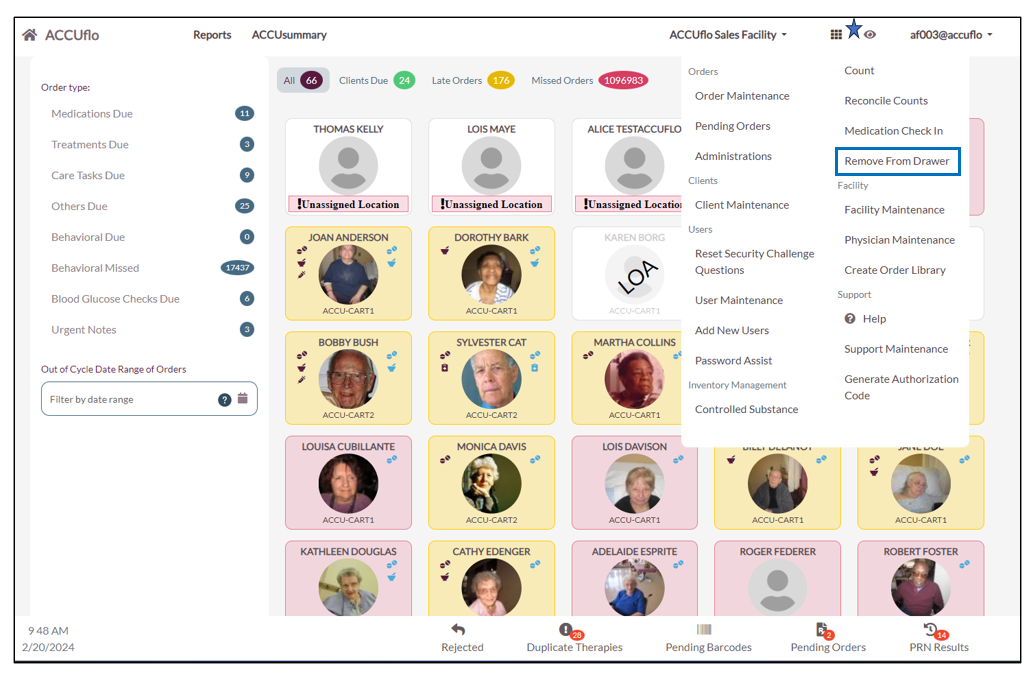
Step 2: Enter and select the Resident you wish to remove medication from the drawer for.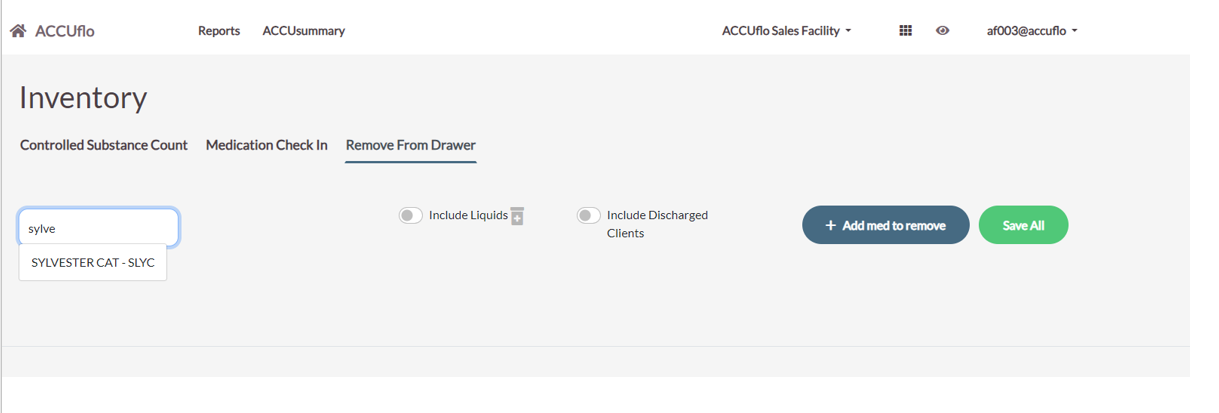
Step 3: Select the order that you wish to remove from the narcotic count.
Step 3.1: Enter Quantity you wish to remove
Step 3.2: Select a reason from the dropdown
Step 3.3: Select '+ Add Med to Remove', to add another medication for removal or if finished, select 'Save All'.
Note: If Removed from Drawer: Double signature for controlled meds is active, two users will be required to complete the action.
Was this article helpful?
That’s Great!
Thank you for your feedback
Sorry! We couldn't be helpful
Thank you for your feedback
Feedback sent
We appreciate your effort and will try to fix the article