Overview
In this article we will examine the process for Authentication upon Administration , Reauthentication using id badge / username and Double Signature when Administering Controlled Substances
Authentication upon Administration
Authentication on Administration is used by communities who are required to re-authenticate upon all administrations in ACCUflo.
If the Require Authentication for Administration feature is active, the re-authentication window will appear when the user selects Administer, Did Not Administer, Home Health, or Self Administer.
Note: The current logged in user will be pre-populated and can not be changed. Only the password will be required.
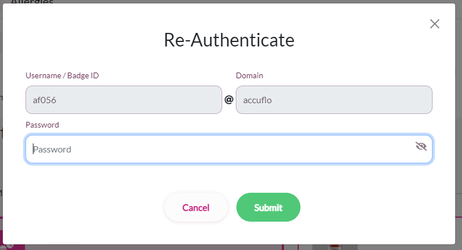
If a community uses scanning and staff members carry badges, the badge barcode can be set up to be scanned during authentication. The barcode would populate the username field and staff would enter the password manually.
Re-Authentication using Require badge/username for Authentication
If badges are used in the community, the community Administrator will need to enter each staff member’s badge barcode via User Maintenance.
New communities must notify their Implementation Specialist of any and all authentication requirements prior to using ACCUflo.
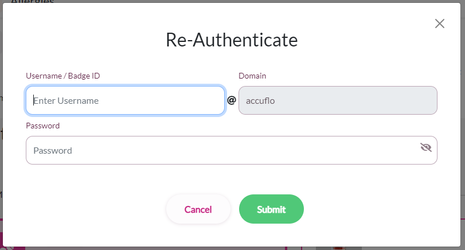
If the Require Badge/Username for Authentication feature is also enabled, the re-authentication window will appear when the user selects an administration option. Scan the badge (or enter the username based on community policy), enter your password, and then select Submit.
Double Signature when Administering Controlled Substances
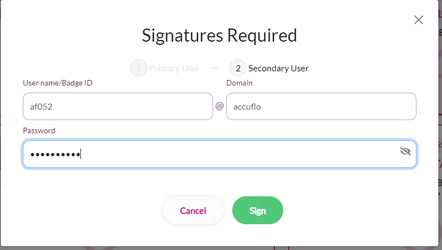
ACCUflo may require a witness when administering Controlled Substances based on community policy or state requirements.
Step 1: Select the controlled substance to be administered.
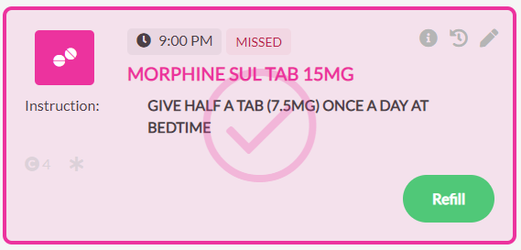
Step 2: Click Administer, Did not Administer, Home health, or Self Administration
Step 3: Enter the primary signer - the person logged in and administering medications, and click sign.
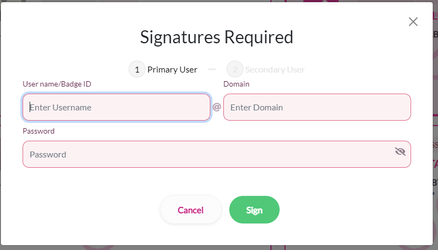
Step 4: Enter the secondary signer - the witness, and click sign.
Was this article helpful?
That’s Great!
Thank you for your feedback
Sorry! We couldn't be helpful
Thank you for your feedback
Feedback sent
We appreciate your effort and will try to fix the article