Overview
In this QRG Article we will review Order Approval: Barcode Assignment
Barcode Assignment
Communities that utilize barcode scanning may have to assign barcodes to orders that are provided from sources other than the primary pharmacy. In general, orders provided by the primary pharmacy will have a barcode value associated with the order while orders from alternative sources will not.
Barcodes can be scanned into the barcode field on the order details screen at any time. Barcodes for all of a resident’s orders can be conveniently assigned at the same time by utilizing the Barcode Assignment tool found in the Maintenance Menu. 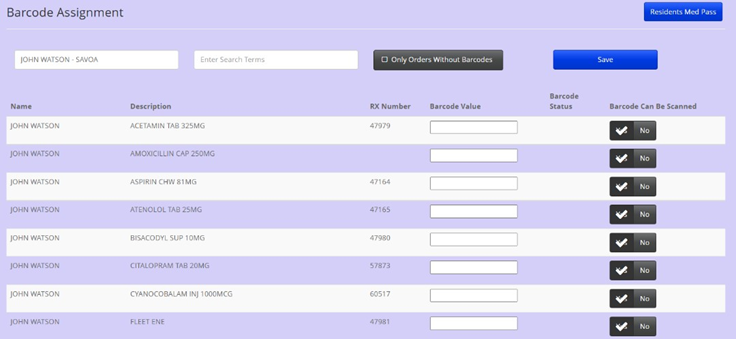
If a barcode will not be available for a particular order, users should set the 'Barcode Can Be Scanned' value to NO.
Note: Setting the value to No for unscannable orders will ultimately improve the community's scan rate.
Was this article helpful?
That’s Great!
Thank you for your feedback
Sorry! We couldn't be helpful
Thank you for your feedback
Feedback sent
We appreciate your effort and will try to fix the article