Overview
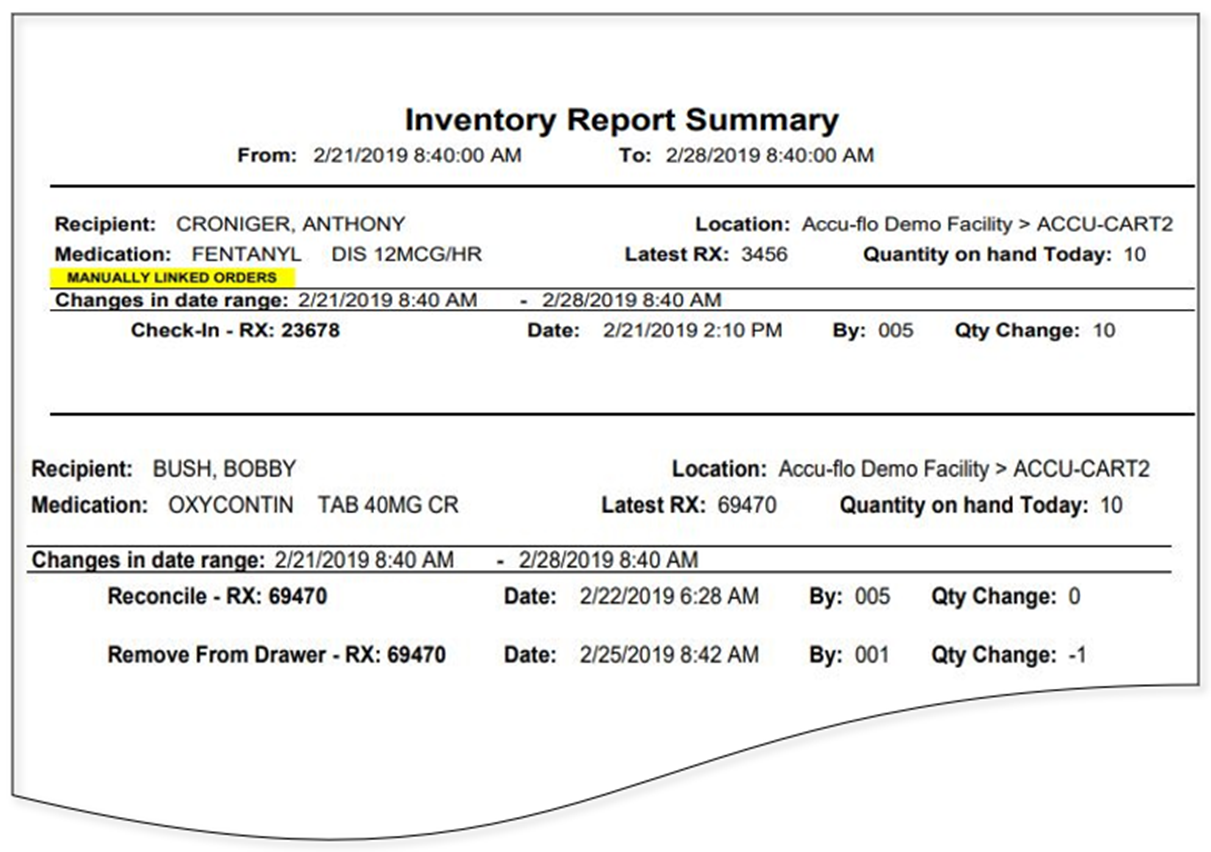
In this article we will review the Inventory Management Report, which for the Date/Time Range specified, and residents specified, lists orders that have had an inventory change. This includes linking, unlinking, Remove from Drawer, Transfer Count, Wasted Meds and Med Check in. Also listed are doses administered, starting count, and ending count.
Description
The Inventory Management report provides a list of orders with inventory changes during the selected time period. Changes may include Linking, Unlinking, Transferring, Administrations, Wasted Medications, and Medication Check-In. The report can be run for a single resident or multiple residents/groups and can also be filtered by Order Description or RX Number.
Was this article helpful?
That’s Great!
Thank you for your feedback
Sorry! We couldn't be helpful
Thank you for your feedback
Feedback sent
We appreciate your effort and will try to fix the article